Mateo GarciaEditor

Mateo GarciaEditor
A log storage strategy should not come down to choosing a single “best” storage option. Logs serve different use cases: some are needed for fast debugging, others for SLA monitoring, and others for audits, investigations, and long-term archiving.
A practical architecture is usually multi-tiered:
A common mistake is sending the entire log stream to a managed logging service and keeping it there for months. This is convenient for searching, but expensive at high volumes. At the same time, audit logs may be left without deletion protection, while older debug entries will rarely be used.
The decision starts not with the tool, but with the use case: why a specific log is being stored, how long it is needed, how quickly it must be found, who has access to it, and whether protection against modification or deletion is required.

Different teams need logs for different purposes. Development teams investigate the causes of errors, operations teams monitor availability and SLAs, security teams detect suspicious activity, auditors review changes in critical systems, and regulators, where applicable to the business, may request records of user actions.
For this reason, a storage strategy should not only answer the question of where to send all logs. It is important to determine in advance which logs to store where, for how long, how quickly they need to be accessed, and how their integrity can be verified.
For example, application debug logs may be useful for only a few days after a release. Access logs for critical systems may be needed months later. Security events must be correlated across sources, while audit records must be protected against undetected deletion or modification.
A more resilient approach is to separate storage roles. Use local disk as a short-term fallback, managed logging for operational search and alerts, object storage for long-term archiving, and a SIEM for security, event correlation, and investigations.
From there, the choice should be driven not by the name of the tool, but by the log lifecycle: which records are needed right now, which must be retained long term, and which require immutability, strict access controls, and provable integrity.

Before comparing storage options, you need to separate log streams by purpose. A single policy to “store everything for a year” usually either drives up costs or fails to protect the records that actually matter.
The main purposes can be broken down as follows:
| Purpose | What matters |
| Operational debugging | Quickly find an error and correlate an event with a request, release, or configuration |
| Monitoring and SLA | Detect rising error rates, latency, component unavailability, and triggered alerts |
| Activity audit | Confirm who changed what and when, and prove whether a record was modified or not |
| Incident investigation | Reconstruct the timeline and relationships between events across multiple sources |
| Long-term archive | Retain data that is rarely used but may be needed later |
| Contractual and regulatory requirements | Demonstrate that events are recorded and stored according to defined rules |
It is important not to conflate auditing with investigation. For auditing, the key requirements are evidentiary integrity, access control, and protection against modification. For investigation, the key requirement is event correlation: logins, API calls, permission changes, network events, and administrator actions. The same log can be used in both scenarios, but the storage requirements will differ.
Once the retention purpose is defined, you can move on to the criteria: how long to retain logs, how quickly they need to be searchable, how much retention will cost, and how well records must be protected against deletion.

Local disk, object storage, managed logging, and SIEM should be compared on more than just price per gigabyte. With logs, the most expensive part is often not storage itself, but indexing, queries, archive retrieval, licensing, and the loss of evidence.
For debug logs, fast search and short retention periods—days or weeks—are usually the priority. For audit and security events, integrity, access control, deletion protection, and the ability to retrieve a record months or years later are more important. Investigations require event correlation, field normalization, consistent timestamps, and the ability to quickly build a timeline across multiple systems.
Data sensitivity must also be considered separately. Logs may contain IP addresses, email addresses, user identifiers, tokens, personal data, and request fragments. This affects masking, encryption, access controls, and retention periods.
Record quality is also critical. A log loses value if it does not include an accurate timestamp, source, actor, request ID, resource, or operation result. The record may exist in a formal sense, but it is difficult to use for an investigation or audit.
A simple example: retaining application debug logs for a year in an indexed system is usually not cost-effective. Audit logs for the same period, however, may be mandatory even if they are rarely accessed: for them, integrity, restricted access, and the ability to prove immutability are what matter.
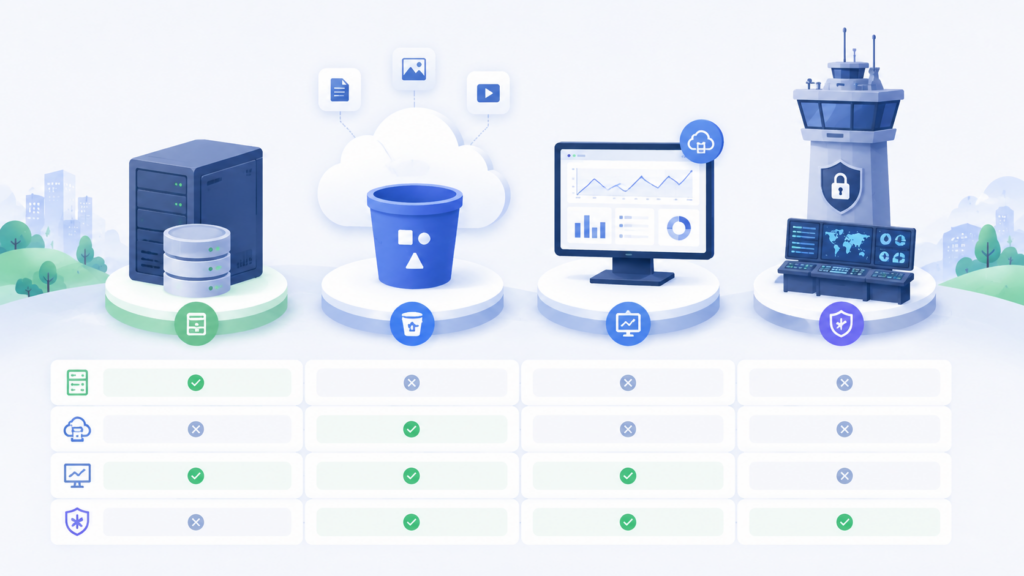
In a mature architecture, local disk, managed logging, object storage, and SIEM do not replace one another. They cover different stages of the log lifecycle: short-term buffering, operational search, long-term archiving, and security.
Local disk is useful when you need to quickly see what was happening to a process, agent, or container before logs are shipped elsewhere. It provides a convenient short-term reserve on the host and a source for initial diagnostics.
However, the local disk should not be the final storage destination. A virtual machine can be deleted, a container can be recreated, the disk can be damaged, and log rotation can overwrite events. If the host is compromised, local files also cannot be considered reliable evidence.
The role of the local disk is buffering and immediate diagnostics, not auditing, long-term storage, or centralized search.
Managed logging is well suited for day-to-day operations: finding an error by request ID, verifying a release, detecting an increase in 5xx responses, investigating latency, building a dashboard, or configuring an alert.
The main limitation is cost. With high log throughput, costs increase due to log ingestion, indexing, storage, queries, and alerts. Storing technical noise for months is especially expensive: debug entries, detailed access logs, and repetitive messages that are rarely used.
The role of managed logging is operational search and monitoring, not indefinite archiving of the entire log volume.
Object storage is well suited for storing raw logs and archives. It can apply lifecycle policies, move older data to lower-cost storage classes, set retention periods for deletion, and enable immutable storage.
However, object storage is not a search engine. Analysis requires cataloging, a clear path structure, file formats, a field schema, and a separate query engine. Otherwise, the archive will be inexpensive but difficult to use.
The role of object storage is to serve as a long-term archive, a backup for audits, and a source of historical data. It should not be treated as a replacement for managed logging or SIEM.
SIEM is intended for security-relevant events: logins, permission changes, administrator actions, IAM events, suspicious API calls, network and cloud events, and policy changes.
The value of SIEM lies less in storage and more in normalizing, correlating, and prioritizing signals. For example, a login from a new country, disabling MFA, and creating an access key may each look acceptable on their own, but together they may indicate a compromise.
SIEM is usually more expensive than an archive or managed logging, so it should not store the entire debug stream. Its role is security and investigations, not serving as a universal repository for all application logs. It is common for raw logs not to be stored in the SIEM at all (or at most for a few days), unlike normalized and correlated events.
Once the roles are separated, the strategies can be compared by retention period, cost, and use case: local disk for short-term storage, managed logging for speed, object storage for long-term retention, and SIEM for security and investigations.
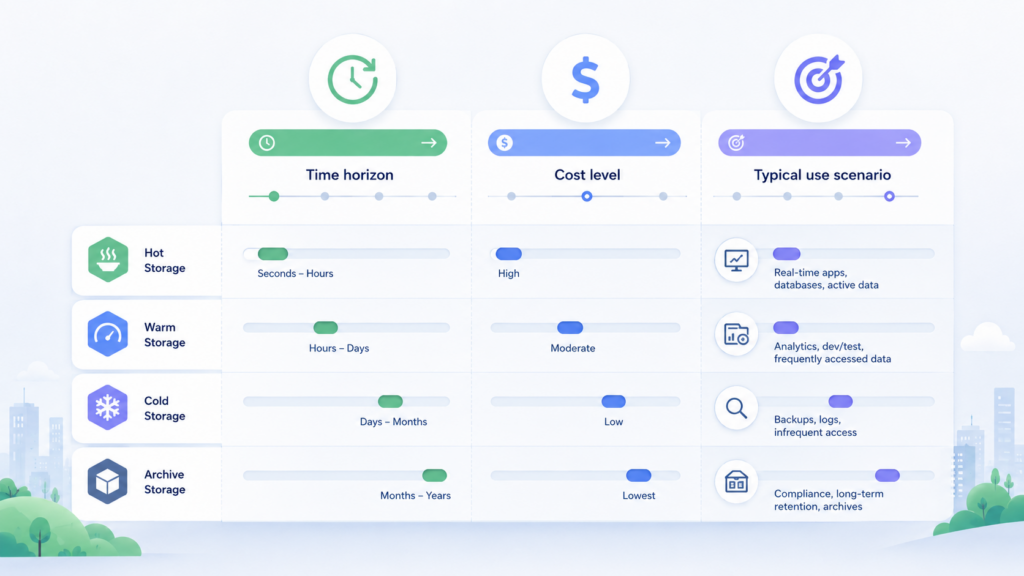
Below is an approximate comparison of four log storage tiers. Actual retention periods depend on the industry, contracts, security requirements, legislation, and the organization’s internal risk model.
| Strategy | Typical retention periods | Cost | Where it is useful |
| Local disk | From several hours to 7–14 days, often until rotation or forwarding | Low in terms of direct costs, but with a high cost of data loss if a host fails or is deleted | Local diagnostics, buffering during delivery failures, temporary storage of system and agent logs |
| Managed logging | Typically 7–90 days; for critical services, sometimes up to 180 days | Medium to high: ingestion, indexing, storage, queries, alerts, and volume- and retention-based pricing | Searching for errors, SLA support, operational alerts, release analysis, and troubleshooting support requests |
| Object storage | From months to several years; for archival requirements, 3–7 years or more | Low for storing large volumes, but queries, archive retrieval, cataloging, and processing are important cost factors | Long-term archive, backup for audits, raw log storage, and subsequent analysis |
| SIEM | Often 5–30 days in hot searchable storage; 1–3 years or more in the archive in normalized form | High: licensing, normalization, indexing, correlation, storage, and analyst effort | Security monitoring, incident investigation, and oversight of privileged actions |
The table suggests a basic pattern: local disk should not be the only storage, managed logging is suitable for quick search, object storage — for long-term and relatively inexpensive archiving, SIEM — for security and investigations.
In practice, these tiers are combined: some logs are indexed quickly, some are sent to an archive, and security events are additionally forwarded to a SIEM. The strategy should then be evaluated not only by storage tier, but also by use case: auditing, incident investigation, and long-term archiving require different rules.




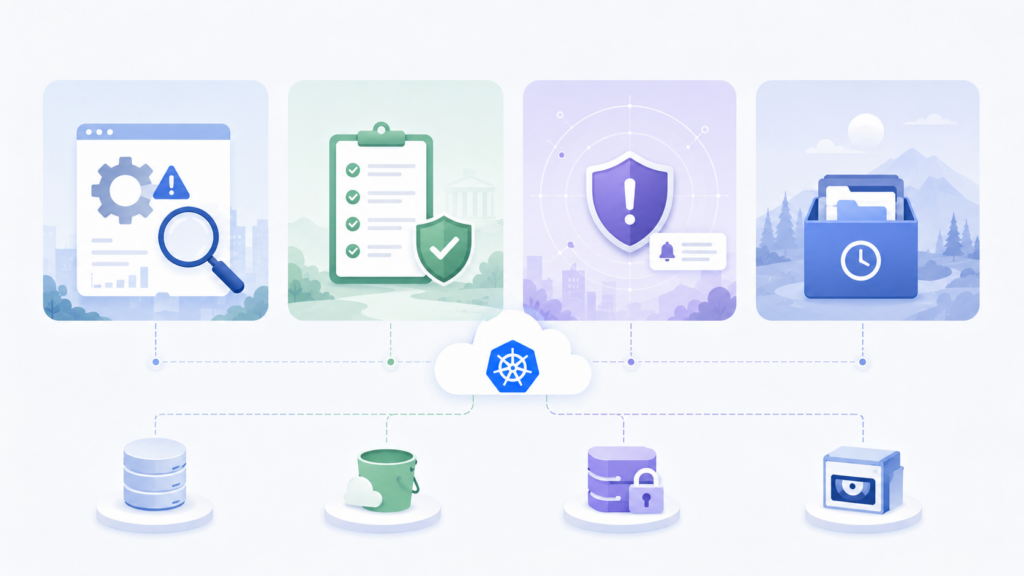
A comparison by retention period and cost establishes the general role of each tier, but the final choice is usually made based on the use case. Auditing, incident investigations, and long-term archiving require different retention policies.
For auditing, verifiability, integrity, and manageability are essential. It must be possible to confirm that an event occurred, that the record was not modified, that access to it was restricted, and that deletion was controlled.
The primary storage tier for audit is object storage with lifecycle policies, encryption, segregated permissions, and access logging. Critical logs require WORM mode or another immutable storage capability. Managed logging can be used for fast searches across recent records, while SIEM is used for security events: logins, administrator actions, permission changes, MFA disablement, and creation of access keys.
For audit logs, required fields should be defined in advance: event time, subject, object, source, operation result, and session or request identifier. An application administrator must not be able to remove their own actions from the log without detection.
Incident investigations require not only that logs be preserved, but also that events can be correlated. The security team needs to quickly reconstruct the timeline: when the activity began, which account was used, which systems were affected, and what data may have been read or modified.
The primary investigation layer is SIEM. Login events, access management events, administrator actions, network and cloud events, policy changes, and security tool alerts are sent there. Managed logging provides technical context: application errors, requests, infrastructure events, and service interactions. Object storage remains a historical data source when a complete or raw set of logs needs to be retrieved for an earlier period.
A local disk can help when analyzing a specific host, but it should not be the only copy. Time synchronization, consistent timestamps, format normalization, and identifiers that link events across systems are critical for investigations. If incidents are often detected after 30–60 days, retaining security events for only 7 days creates a blind spot.
Long-term archiving is required for data that is rarely used in day-to-day operations but must be retained under internal policy, a contract, regulatory requirements, or a risk model. The key criteria are manageable cost, integrity, and the ability to recover the data.
The primary layer here is object storage. Logs are best stored in structured paths by system, date, event type, and environment. For older data, lifecycle policies can be applied: moving it to cheaper or archival storage classes. There is usually no need to continuously index the entire archive; it is more practical to create temporary datasets for specific checks.
For a long-term archive, preserving context is essential. A file with millions of rows becomes useless after several years if it is unclear which system it came from, what fields it contains, which time zone was used for timestamps, and what data was masked.
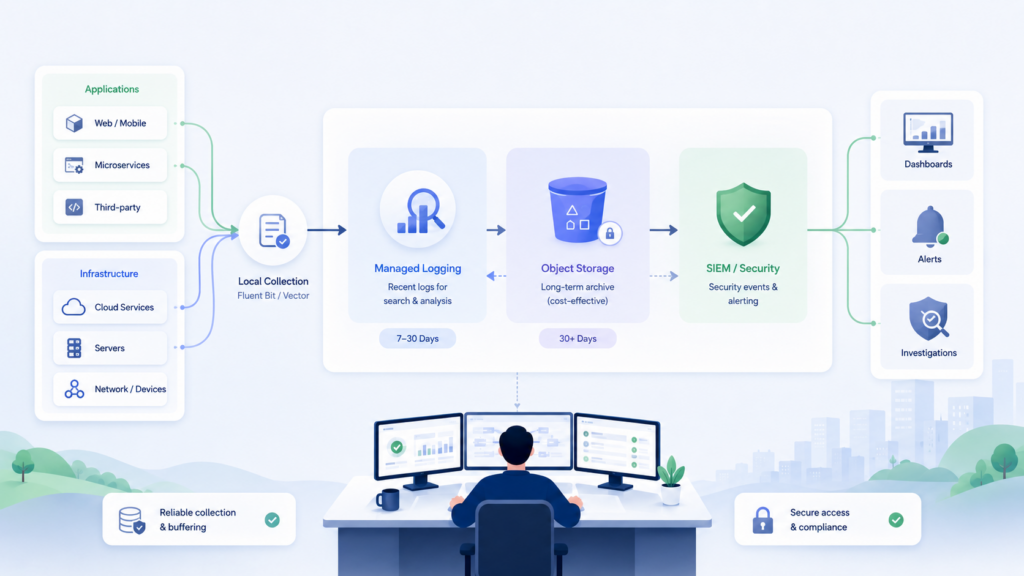
A multi-tier design is usually built around the log lifecycle:
local disk → managed logging → object storage → SIEM for security events
On a host or in a container, logs are stored for a short time and quickly forwarded downstream. Local disk acts as a buffer, not as the final storage layer.
Managed logging receives records needed for day-to-day operations: errors, access logs for the active operational period, infrastructure events, and data for dashboards and alerts.
Object storage receives the full stream or a partially filtered stream for archiving, auditing, and restoring historical data. This layer helps avoid paying for long-term indexed access to the entire volume.
Security and access control events are sent to the SIEM, along with some application logs if they help investigate user or administrator activity.
Filtering and routing should be designed in advance. If the entire stream first lands in an expensive indexed system and is then cleaned up manually, cost and complexity grow faster than usefulness.
Before approving the design, it is worth answering four questions:
If at least one question cannot be answered, the design is missing either operational search, an archive, or a security and correlation layer.
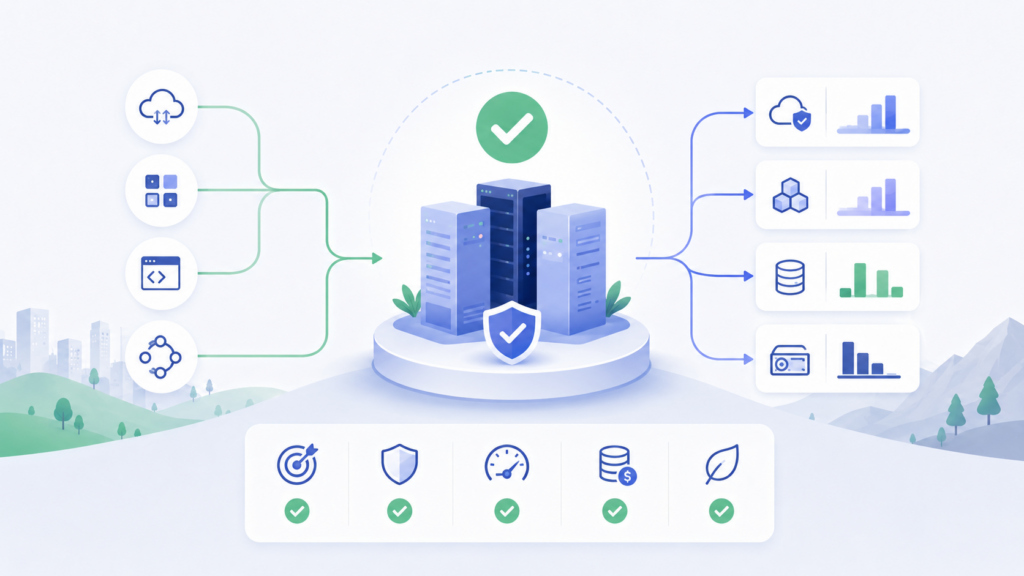
A resilient log storage strategy is built around the data lifecycle. Local disk provides a short-term buffer, managed logging enables fast search and alerts, object storage serves as long-term archival storage, and SIEM supports security, correlation, and investigations.
In practice, the choice comes down to three decisions: which logs need to remain available for operational access, which should be retained for a long time at relatively low cost, and which require immutability, strict access control, and separate security analysis.
Only as a temporary buffer. A local disk is suitable for quick diagnostics, but it does not protect against virtual machine deletion, disk failure, log rotation, container recreation, or host compromise.
Logs needed for day-to-day operations and centralized manual search and analysis: application errors, access logs for the operational period, infrastructure events, and data for alerts and SLA support. Long-term storage of the entire stream in indexed form usually results in unnecessary costs.
Security-relevant events: user logins, permission changes, administrator actions, IAM events, suspicious API calls, and network and cloud events. Debug logs and technical noise should be filtered out or stored separately.
Object storage by itself is better suited for archival use. Analysis requires additional tools: a query engine, cataloging, format normalization, and a clear storage schema.
The retention period is determined by the log type and purpose: operational logs may be retained for weeks, audit logs and security events for months or years, and archived data in accordance with contractual requirements, regulatory obligations, and internal policy.
You need immutability or WORM mode, separate read and delete permissions, logging of access to the logs themselves, time synchronization, and clear event context: who made the change, when, from which system, and what was changed.
1. NIST SP 800-92: Guide to Computer Security Log Management
2. AWS CloudWatch Logs: log groups and retention
3. Amazon S3 Storage Classes
4. Amazon S3 Object Lock