Mateo GarciaEditor
Mateo GarciaEditor
Managed Kubernetes and Managed VM should not be compared solely by the price of an instance or worker node. The real difference lies in who operates the platform, who is responsible for updates, how releases are organized, how much an incident costs, and how tightly the application is tied to the API of a specific cloud.
Managed VM is usually simpler for stable applications, monoliths, legacy systems, and teams accustomed to the “server → OS → application” model. In this model, the provider can take responsibility for guest OS administration, basic updates, middleware configuration, monitoring, and some standard operational tasks. However, the scope of the provider’s responsibilities depends on the SLA and the composition of the managed service: the application, business logic, releases, architectural decisions, and part of security control still remain with the team.
Managed Kubernetes is justified when there are many services, releases are frequent, and the team already works with containers, CI/CD, and declarative infrastructure. It helps standardize deployment, scaling, and environments, but adds complexity in networking, storage, RBAC, ingress, observability, updates, and troubleshooting.
A managed service saves time only when it takes operational tasks off the team’s hands that the team understands and can control. But that same layer of convenience can create lock-in through IAM, load balancers, disks, storage classes, managed ingress, monitoring, backups, traffic pricing, and the provider’s APIs.
A practical choice comes down to five questions:
The key takeaway: you need to choose not a “modern” or “old” platform, but an operating model. Managed VMs and Managed Kubernetes save time in different scenarios and create lock-in in different places.
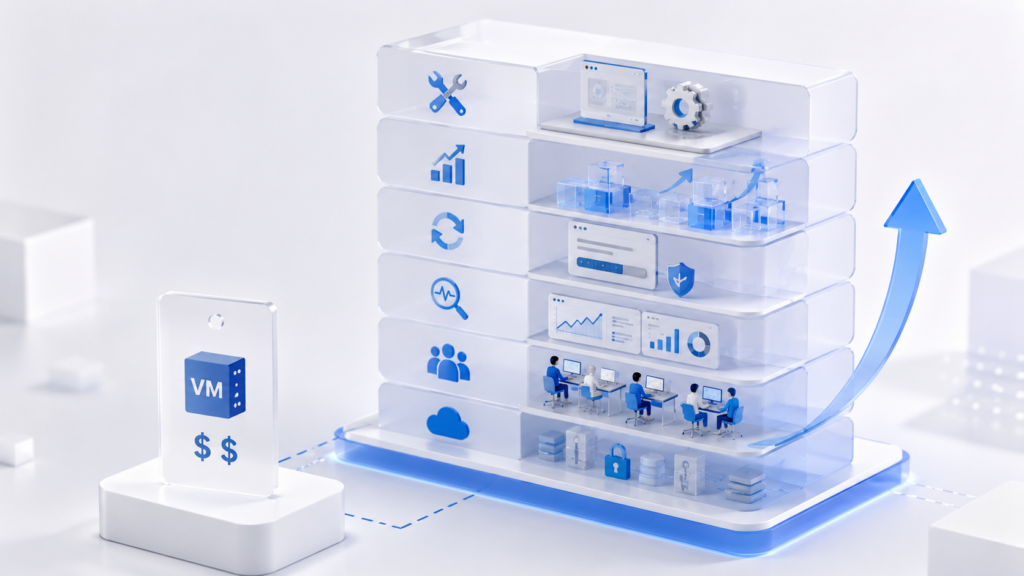
Comparisons between Managed Kubernetes and Managed VMs often start with the price of an instance or worker node. This is convenient, but incomplete. Cloud bills show compute resources, but they do not always reflect updates, diagnostics, incidents, on-call duties, release complexity, or the cost of a future migration.
A managed service saves time when it takes repetitive operations off the team’s hands. In Managed Kubernetes, this may include control plane maintenance, deployment standardization, integrations with networking and storage, some updates, and scaling. In Managed VMs, it may include guest OS administration, basic patching, middleware configuration, monitoring, backups, and standard operational tasks within the SLA. However, the same layer of convenience can also create dependency on provider-specific features and constraints: IAM models, load balancers, disks, managed add-ons, monitoring, traffic pricing, backup formats, and support procedures.
The first step, therefore, is to define the boundaries of responsibility: what the provider takes on and what remains with the team. Without this, cost calculations, risk assessments, and the final decision quickly turn into a debate about “Kubernetes or VMs,” even though the real question is broader: which operating model fits the product and the team.
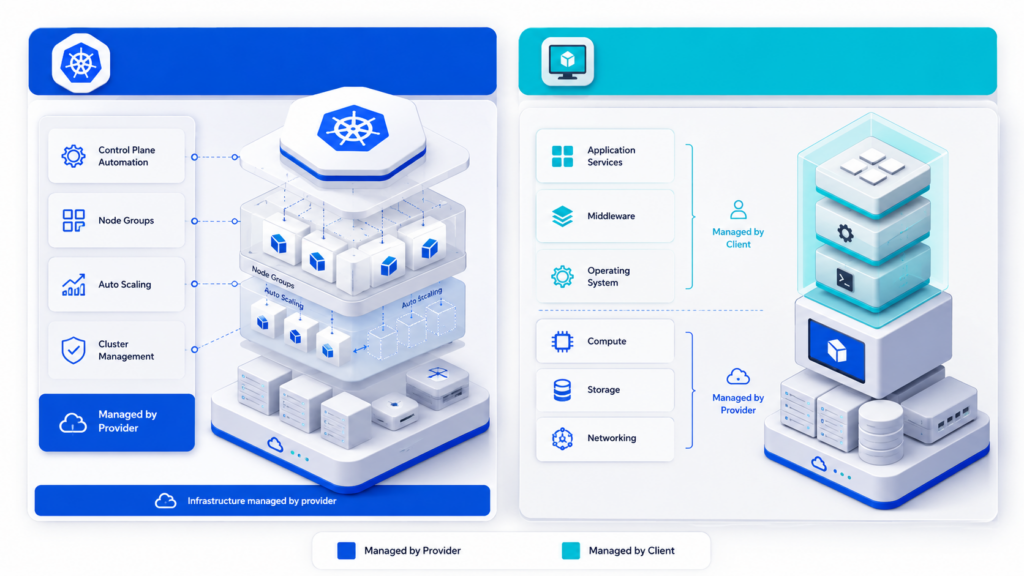
In Managed VM and Managed Kubernetes, the word managed does not mean that the provider manages everything. It means a different allocation of responsibilities between the cloud provider and the customer’s team. The key is to understand in advance which layers are included in the managed service and which remain the team’s responsibility.
In Managed VM the provider is usually responsible not only for the physical servers, hypervisor, basic network, and availability of the virtualization platform, as in a classic IaaS model (VDS/VPS), but also for part of the administration of the guest OS and middleware. Depending on the SLA and the scope of the service, this may include installing security updates, basic OS configuration, web server configuration, runtime environments, monitoring agents, backups, and standard operational procedures.
However, a Managed VM does not make the provider the owner of the application. The customer remains responsible for business logic, releases, architectural decisions, data, application dependencies, security requirements, and the correct operation of the service. If an application fails because of a code defect, an incorrect database migration, or flawed business logic, this usually cannot be resolved by a managed service alone and requires additional involvement from specialists on the team or from the provider.
In Managed Kubernetes the boundary is drawn differently. The provider takes responsibility for the Kubernetes control plane: its availability, some updates, and basic integration with the cloud network. However, the application workload remains the customer’s responsibility: worker nodes, container images, requests/limits, RBAC, network policies, ingress, disks, add-ons, monitoring, and application security require separate operations.
In practice, it works like this: in a Managed VM, the provider can install OS patches, help with basic middleware configuration, monitor some system metrics, and perform routine operations according to defined procedures. But the provider will not rewrite the application, fix a faulty release, or make architectural decisions on behalf of the product team. In Managed Kubernetes, the provider ensures that the control plane operates properly, but will not fix a vulnerable container image, an incorrect access role, or a network policy that has cut the service off from its dependencies.
The boundaries of responsibility can be defined as follows:
| Layer | Managed Kubernetes | Managed VM |
| Physical infrastructure | Provider | Provider |
| Management platform | The provider operates the Kubernetes control plane | The provider operates the virtualization platform |
| Nodes / servers | The customer manages worker node pools and their parameters, unless otherwise covered by the service | The provider can administer the VM at the OS level within the SLA |
| OS and system packages | Depends on the node type and update policy | The provider can install OS and system package patches according to defined procedures |
| Middleware | The customer is responsible for ingress controllers, runtimes, sidecar components, and dependencies | The provider can configure and update nginx, runtimes, agents, and basic services if this is included in the service |
| Applications | The customer is responsible for containers, manifests, dependencies, and releases | The customer is responsible for code, business logic, releases, data, and application dependencies |
| Access permissions and policies | Customer: RBAC, IAM integrations, network policies, secrets | Shared area: the provider can manage system access, while the customer is responsible for application roles and security requirements |
| Monitoring and updates | The provider covers part of the platform; the customer covers applications, nodes, and add-ons | The provider can cover system monitoring, patches, and standard response procedures; the customer is responsible for application-level metrics and business scenarios |
Managed Kubernetes moves some of the complexity into the platform layer, but it still requires expertise in orchestration, policies, and container operations. Managed VM is conceptually simpler and closer to the “server → OS → application” model, but the time savings depend on exactly what the provider takes on under the SLA: only basic OS administration, or also middleware, monitoring, backups, and incident response.
Once the responsibility boundaries are clear, the next step is cost. Comparing only the price of a VM or worker node is not enough: the real cost includes networking, disks, load balancers, monitoring, updates, the provider’s SLA, and the team’s time.
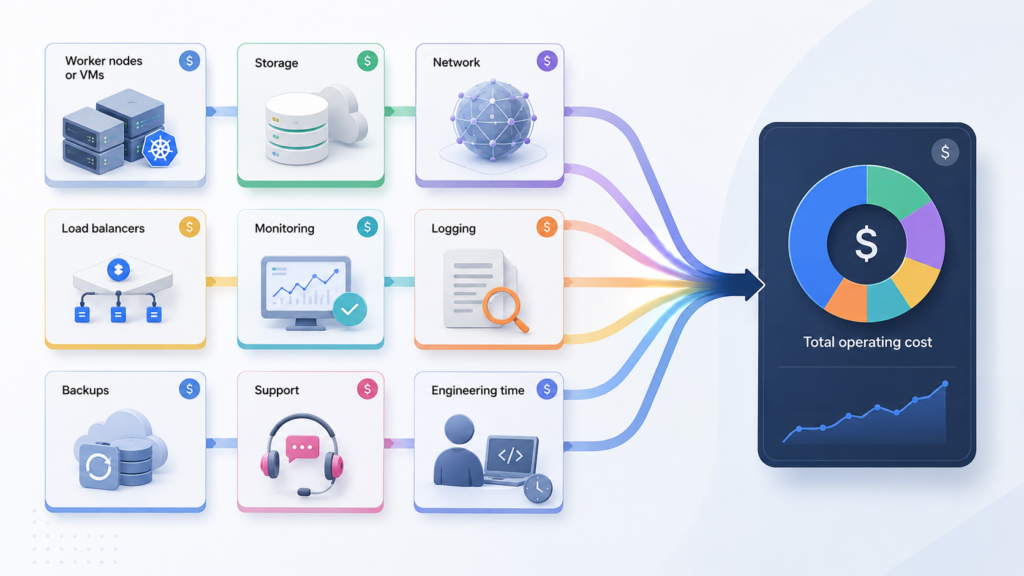
After launch, costs emerge that are not visible in a simple comparison of “a VM costs X, a Kubernetes worker node costs Y.” The real cost includes load balancers, disks, NAT, public IPs, cross-zone and outbound traffic, monitoring, logs, backups, provider support, and team time.
In Managed Kubernetes, costs are often spread across several layers: cluster fees, worker nodes, ingress load balancers, disks for stateful workloads, NAT for private subnets, and storage for logs and metrics. In Managed VM, some infrastructure costs also remain: instances, disks, networking, public IPs, backups, and monitoring. But these are supplemented by the cost of provider-side administration: the SLA, OS updates, middleware support, basic diagnostics, scheduled maintenance, and response to common incidents.
It is more practical to compare platforms using a full cost model rather than a single line item in a price list:
| Cost item | Managed Kubernetes | Managed VM |
| Compute | Worker nodes, often with headroom for scheduling | Instances for applications |
| Platform | A separate cluster fee may apply | The virtualization platform is included in the provider’s service |
| Managed administration | Part of the platform is managed by the provider, but the workload remains the customer’s responsibility | Administration of the OS, middleware, updates, and basic procedures may be included in the SLA |
| Network | Ingress, load balancers, NAT, cross-zone traffic | Load balancers, network rules, public IPs |
| Storage | Persistent volumes, storage classes, snapshots | VM disks, network disks, snapshots |
| Monitoring and logs | Containers, nodes, cluster events, control plane | OS, middleware, applications, agents, response SLA |
| Team time | Less routine work with a mature platform, but more complex diagnostics | Less system administration, but work on the application, releases, and responsibility boundaries is still required |
This model shows that whether something is “more expensive” or “cheaper” depends on more than the instance price. A small, stable workload often fits better with Managed VM: the team keeps a clear “server → OS → application” model and delegates part of routine administration to the provider. Managed Kubernetes starts to pay off where there are many services, frequent releases, a need to standardize environments, and automatic management of workload placement.
A hypothetical calculation helps validate the economics. If three VMs require regular patches, backups, middleware configuration, and diagnostics, then in a standard VM model this turns into internal team hours. In Managed VM, some of those hours are replaced by the managed service fee. Therefore, the comparison should not be “VM cost versus Kubernetes cost,” but “VM cost + managed SLA + remaining team time” versus “Kubernetes cost + infrastructure components + team time for platform operations.”
For example, if managed VM administration costs more than a basic VM but eliminates 15–20 hours of routine system work per month, it may be more cost-effective for a small team. But if the application requires frequent releases, complex scaling, multiple environments, and standardized deployment, Kubernetes may be more economically reasonable even with greater platform complexity.
That is why, after calculating the costs, you need to assess competencies. The same managed platform can accelerate a mature team and slow down a team that is encountering its abstractions for the first time, misunderstands the provider’s responsibility boundaries, or requires non-standard solutions from the provider.
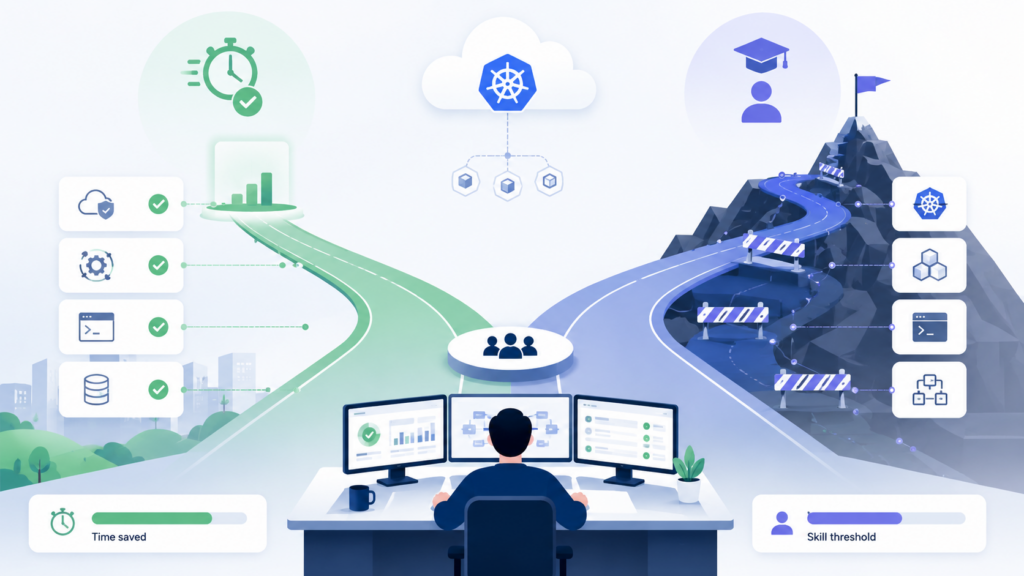
After calculating costs, you need to assess not only the budget but also the team’s skills. “DevOps/SRE time” is not an abstract number of hours, but a set of specific competencies that determine whether a managed service becomes an accelerator or a new source of incidents.
A team accustomed to the “server → OS → application” model can often deploy a Managed VM. The provider can take over OS administration, basic updates, some middleware, monitoring, and routine operational tasks. This reduces the need for deep in-house systems operations expertise, especially for a monolith, legacy workload, or a moderate number of releases.
However, Managed VM does not eliminate the need for engineering competencies entirely. The team still needs to understand the application architecture, release process, dependencies, security requirements, working with logs, escalation procedures, and SLA boundaries. If it is unclear who is responsible for updating middleware, recovering from a failure, changing the nginx configuration, or responding to an alert, a managed service may not speed up work but instead create a new area of uncertainty.
The opposite scenario is a team that already uses containers, CI/CD, infrastructure as code, and SRE practices, and knows how to describe environments declaratively. For such a team, Managed Kubernetes can reduce routine work: standardize deployment, simplify rollbacks, provide namespaces, automatic recovery, and a unified environment model.
Critical skills vary:
The same managed service can be an accelerator for a mature team and a risk for a team encountering its abstractions for the first time. With Managed VM, risk often arises from misunderstood boundaries of responsibility: the team assumes that the provider “handles everything,” while the SLA does not cover application releases, business metrics, or a specific recovery scenario. In Managed Kubernetes, mistakes in resource limits, access roles, or network policies can impair SLA compliance just as much as a failed release in a VM-based model.
After assessing competencies, the next logical step is to evaluate portability: even if the team knows how to work with the platform and the provider, it is important to understand what it will be able to take to another cloud during a migration.
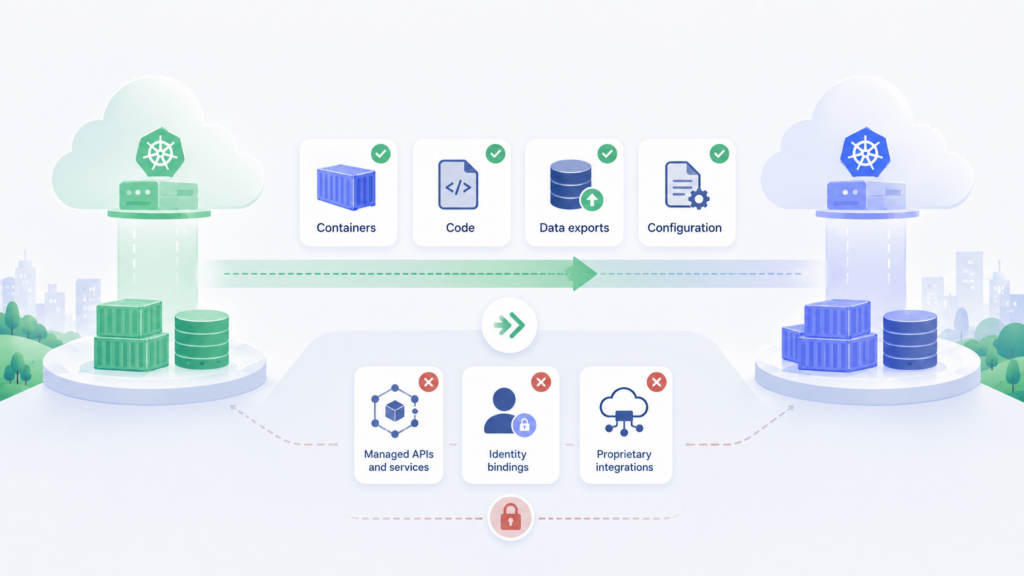
Portability is often described too broadly: “Kubernetes is standard, VMs are universal.” In practice, you need to move not only the application, but also networking, storage, access controls, observability, backups, release pipelines, and operational procedures.
It is better to compare individual layers rather than entire platforms:
| Layer | Managed Kubernetes | Managed VM |
| Application | Container images and standard manifests are usually portable | The application can be moved if it does not depend on provider-specific OS configuration, middleware, and processes |
| Networking | Ingress, CNI, load balancers, and policies are often tied to the cloud | Dependent on the provider’s VPC/VNet, firewall, routes, load balancers, and networking rules |
| Storage | Storage classes, CSI, snapshots, and disks are often provider-specific | Disks, snapshots, backup formats, and recovery procedures may be tied to the provider |
| Access | RBAC is partially portable; IAM integrations differ | IAM roles, keys, system-level access, and the request model for administration depend on the cloud model and SLA |
| Operations | GitOps and manifests help, but cloud add-ons must be replaced | The risk lies in manual changes, provider procedures, local cron jobs, non-standardized images, and undocumented managed procedures |
Kubernetes is better at carrying over a declaratively defined application model, but worse at carrying over the cloud integrations around it. A managed VM is easier to move as a compute layer, but it is harder to prove that all OS settings, middleware, backups, access controls, support procedures, and operational dependencies have been documented and can be reproduced in another environment.
Therefore, portability should be validated not with statements such as “we use Kubernetes” or “we use VMs,” but with a recovery test: whether the application can be brought up in another environment, networking connected, data restored, access controls applied, monitoring started, administration procedures reproduced, and a release performed without manual reconstruction.

Observability is not just CPU and memory. For operations, what matters are metrics, logs, request traces, platform events, alerts, the correlation between a release and degradation, and the ability to quickly identify the source of a problem.




In a Managed VM model, diagnostics are usually easier to understand. There is an OS, services, middleware, the application, network connections, and a monitoring agent. The provider can cover part of system-level observability: VM availability, OS health, basic metrics, the operation of specific services, backups, and standard operational procedures.
However, application-level observability still remains the team’s responsibility. The provider may see that nginx is running, the disk is not full, and the VM is available, but may not always understand that order checkout time increased after a release, authentication broke, or a business operation started failing. The team therefore needs its own application metrics, logs, traces, alerts for user scenarios, and correlation between releases and degradation.
The downside emerges as the VM fleet and the number of managed procedures grow. Different servers may have different agents, different logging settings, different middleware versions, and different provider response rules. As a result, observability in a Managed VM is simpler at the start, but it requires coordination: which metrics the provider can see, which alerts the team receives, who responds first, and where the boundary lies between a system incident and an application incident.
Managed Kubernetes produces more signals. Teams need visibility into the state of pods, nodes, containers, controllers, scheduler events, Ingress, the service network, storage, and the control plane.
A provider may offer out-of-the-box integration with cluster logs and metrics, but the team is still responsible for application metrics, tracing, alerts, data retention periods, and the cost of the data volume.
Kubernetes delivers its benefits with a mature setup: a unified metrics schema, labels, namespaces, automatic service discovery, standard exporters, and a link to the declarative release model. The downside is more complex troubleshooting: the issue may lie in the application, resource limits, network policy, DNS, storage, the CNI plugin, or load balancer integration.
Managed VMs are easier to understand at the outset because there are fewer layers and they are more familiar. Kubernetes is easier to standardize at scale, but it saves time only when the team knows how to manage its signals, alerts, and dependencies.
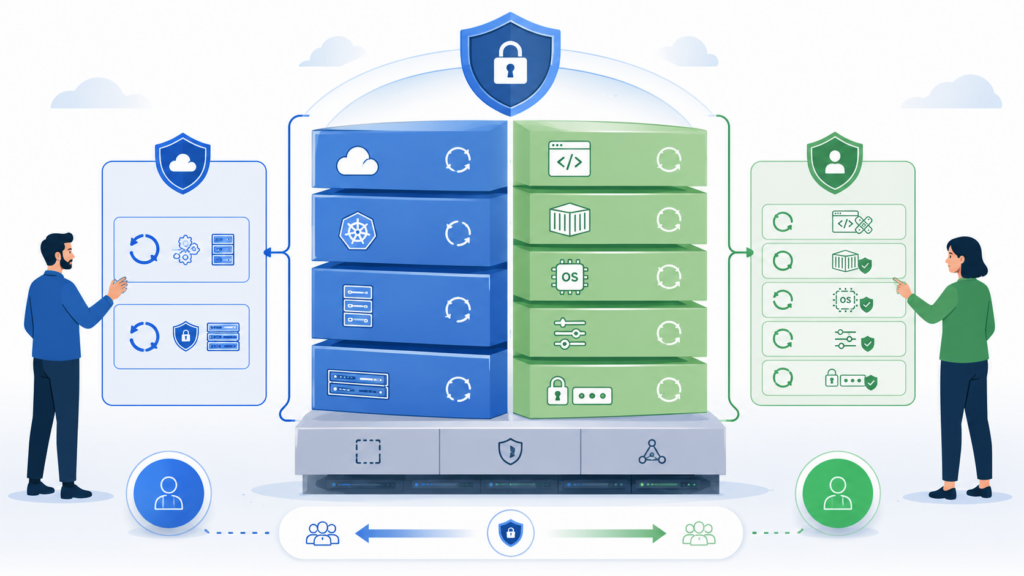
Security updates are a common source of misaligned expectations about managed services. The provider does not take ownership of the entire security chain. It secures its part of the platform and the layers explicitly included in the SLA, but applications, access rights, dependencies, secrets, policies, and incident response procedures remain the client’s responsibility.
In a Managed VM, the provider may take responsibility for updates to the guest OS, system packages, some middleware, monitoring agents, and core services. However, this must be verified in the service terms: which components are updated automatically, which require approval, who selects the maintenance window, who restarts the services, who checks compatibility, and who is responsible for rollback after a failed update.
Even if OS and middleware patches are included in the managed service, the client is still responsible for the application layer: application code, libraries, business logic, access settings, secrets, the release process, and validation of critical scenarios after updates. The provider can update nginx or a runtime, but it does not guarantee that a specific application release will continue to behave the same way afterward.
In Managed Kubernetes the provider typically manages or helps update the control plane, but this does not cover the entire risk surface. Worker nodes, base images, application container images, dependencies within images, RBAC, secrets, admission controllers, ingress controllers, and additional components remain. Upgrading the Kubernetes version may also affect APIs, manifests, and third-party controllers.
For the business, the distinction is as follows: with a Managed VM, some system updates can be delegated to the provider, but the SLA, maintenance windows, areas of responsibility, and rollback procedure must be explicitly defined. With Managed Kubernetes, some updates are centralized at the control plane level, but an error in a shared policy, image, or controller can affect many services at once.
After security updates, it is important to assess dependence on the provider. This is where a managed service can turn from a time saver into lock-in.

Lock-in does not arise simply from using Managed Kubernetes or Managed VMs, but from which cloud APIs, policies, and operational procedures become part of the architecture.
In Managed Kubernetes, core Kubernetes objects provide a degree of standardization: Deployment, Service, ConfigMap, Namespace, and other resources can be moved between compatible clusters. However, dependency emerges at the cloud boundary:
The implication for migration is not simply “recreating the cluster.” You need to replace networking and disk integrations, revalidate the IAM model, reconfigure ingress, migrate secrets, rebuild pipelines, and make sure backups can be restored in the target environment.
In Managed VM, the dependency is less visible, but still significant. It appears not only in VM images, but also in snapshots, network interfaces, security groups, load balancers, managed disks, public IPs, routing rules, IAM roles for VMs, monitoring agents, backup formats, and instance creation automation. An additional dependency arises on how exactly the provider administers the OS and middleware: which procedures it uses, how it applies updates, how requests are submitted, which maintenance windows are available, how escalation is organized, which logs and metrics it exposes to the customer, and in what format it performs recovery.
If infrastructure and operations depend on manual actions through the provider’s console or support channels, lock-in increases: the dependency exists not only in the API, but also in undocumented operator actions, runbooks, SLAs, support procedures, and recovery processes that the provider may not provide in full.
Lock-in can be reduced using the same principles: define infrastructure as code, separate standard manifests from cloud-specific parameters, document the IAM model, record the scope of the managed service, maintain your own runbooks, test recovery from backups, avoid undocumented manual configuration, document dependent APIs, and calculate the cost of exiting the platform before adoption rather than at the point of migration.
Comparing Managed Kubernetes and Managed VM is not a question of which platform is “better.” They have different profiles of savings, complexity, and risk.
| Criterion | Managed VM is usually a better fit | Managed Kubernetes is usually a better fit |
| Workload type | Stable application, monolith, legacy system, small number of services | Many services, containers, frequent releases |
| Barrier to entry | Lower: the familiar “server → OS → application” model, with the provider handling some of the administration | Higher: requires Kubernetes skills and platform operations expertise |
| Operations | Less routine system administration work for the team if the OS, middleware, monitoring, and backups are included in the SLA | Less routine work with a mature platform, but more complex diagnostics |
| Portability | Easier to move the application as a VM-based model, but harder to reproduce the provider’s managed procedures | The declarative model is more portable; cloud integrations are less portable |
| Lock-in | SLA, support procedures, images, disks, networks, snapshots, IAM, backups, monitoring | Storage classes, ingress, IAM, CNI/CSI, managed add-ons, monitoring |
| When it is justified | The workload is simple, and the team wants to keep a clear server-based model while handing off some of the administration to the provider | The team already works with containers, CI/CD, and IaC |
Practical rule: managed services save time when they replace operations that the team already understands and can control. They create lock-in when provider convenience becomes an implicit part of releases, monitoring, security, networking, storage, and recovery.

Choosing between Managed Kubernetes and Managed VM is a choice of operating model, not a debate over a “modern” versus “legacy” platform.
Managed VM makes more sense when the workload is stable, the architecture is simple, and the team is comfortable with a “server → OS → application” model in which some administration is delegated to the provider. This approach can reduce the team’s workload through managed OS updates, middleware support, basic monitoring, backups, and standard operational procedures within the SLA.
Managed Kubernetes is justified when containerization has already become part of the delivery process, there are many services, releases are frequent, and the team needs standardized deployment, autoscaling, and a consistent environment model.
Time savings occur only where the managed service actually takes over repetitive operations. Lock-in arises at the same points: load balancers, storage, IAM, network integrations, logging, backups, the provider API, and managed operations procedures.
The final decision should answer three questions: what the service takes off the team’s plate, what it adds to operations, and how costly it will be to change the decision in a year or two.
There is no universal answer. Managed VMs may be more cost-effective for small, stable workloads if the fees for OS administration, middleware, monitoring, and backups are lower than the team’s internal labor costs. Managed Kubernetes may be more cost-effective when there are many services, frequent releases, and mature automation, but the calculation must include the cluster, nodes, disks, load balancers, data transfer, monitoring, and team time.
No. The provider usually takes responsibility for the control plane, but the team remains responsible for applications, container images, worker nodes, network policies, access controls, storage, add-on updates, and observability.
Managed VM is suitable for monoliths, legacy applications, a small number of services, and stable workloads when the team is comfortable with the “server → OS → application” model, but it is more cost-effective to delegate some OS administration, middleware, monitoring, backups, and routine operations to the provider. It is also a sensible option if Kubernetes would require more training and process changes than the value it would deliver.
Not in basic Kubernetes manifests, but in cloud integrations: load balancers, storage classes, IAM, CNI/CSI plugins, managed ingress, secrets, image registries, monitoring, and autoscaling. The more such integrations you have, the harder migration becomes.
Not always. VMs can also depend on networks, disks, images, snapshots, security groups, load balancers, IAM roles, monitoring agents, and backup formats. Managed VMs add dependencies on SLAs, support policies, update procedures, monitoring, backups, and recovery. The risk is lower only when the configuration is defined as code, images are reproducible, responsibility boundaries are documented, and recovery is regularly tested in another environment.
1. Kubernetes Documentation — Concepts
2. AWS — Security in Amazon EKS
3. Microsoft Azure — Shared responsibility in the cloud
4. Google Cloud — GKE shared responsibility