Mateo GarciaEditor

Mateo GarciaEditor
Hello, reader.
Today we’re covering a topic without which cloud security conversations often turn into a pointless “who’s to blame?” argument: the Shared Responsibility Model — the framework that defines how security responsibilities are split between the cloud provider and the customer.
Let’s start with the core idea. In the cloud, security isn’t a single “make it secure” button. It’s an agreement: what the provider protects, and what you must protect yourself. The Shared Responsibility Model exists to draw that boundary. Without it, organizations often fall into two dangerous illusions:
Both extremes lead to problems — just different kinds. In the first case, you end up with gaps on the customer side (for example, public data exposure, weak passwords, misconfigured access policies). In the second, teams waste effort on things the platform already handles — and still miss what truly matters.
Why does this matter in practice? Because it prevents you from building security on assumptions. When an incident happens, the same questions always come up: “Why was this public?” “Who was supposed to close that port?” “How did the keys leak?” “Why didn’t anyone notice?” The Shared Responsibility Model answers those questions upfront by setting clear expectations: which risks are covered by the platform by default, and where the customer’s responsibility begins.
In the next section, we’ll break down the “provider vs. customer” split layer by layer — with clear examples you can actually map to real systems.
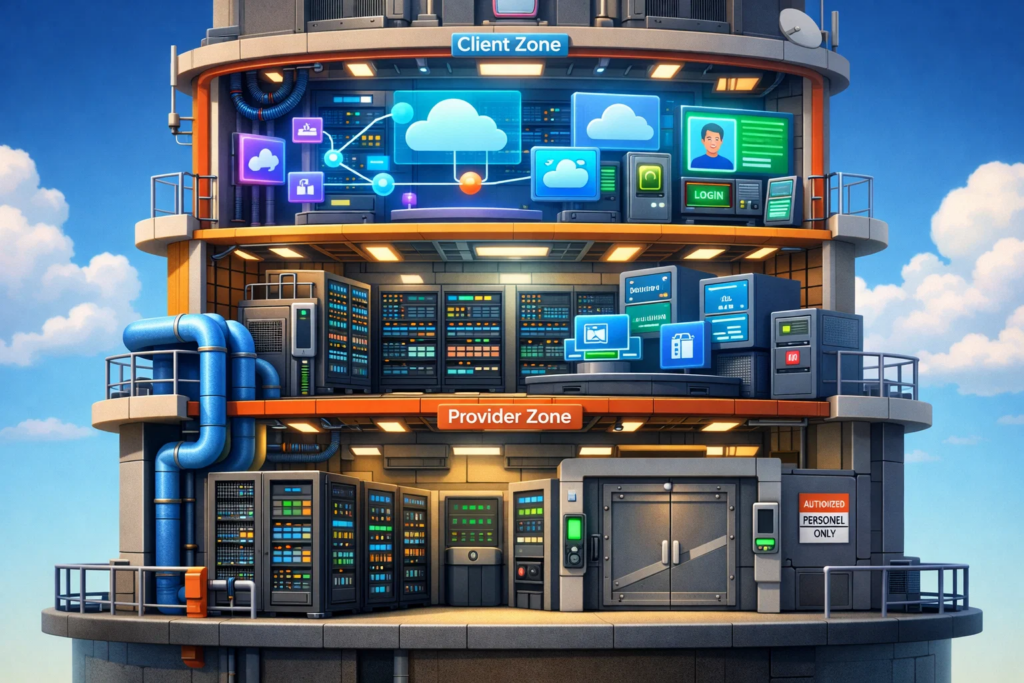
Security of the cloud refers to the security of the cloud platform itself — the parts customers can’t directly touch and often don’t even see, but everything else depends on.
A simple analogy: the provider is responsible for making sure the building is solid, guarded, and properly maintained. What you do inside your apartment is a different conversation — we’ll get to that shortly.
What typically stays on the provider side:
And here’s the non-obvious point where many teams get it wrong.
When a provider says “we’re responsible for platform security,” it does not mean that everything running on top of the platform is automatically secure. It means the provider owns the foundation: isolation works, hardware is controlled, the hypervisor is patched, the data center is protected, and the platform services aren’t insecure by default.
But if you deploy an application and expose it to the internet without proper access controls, that’s no longer “security of the cloud.” The platform can be perfectly secured while your configuration isn’t. That’s exactly why the Shared Responsibility Model matters: it’s not about magic — it’s about boundaries of control.

Security in the cloud covers everything you build, connect, store, and configure inside the cloud environment. Even if the underlying platform is highly secure, it can’t infer your business logic, your access model, or which data is mission-critical for you. Going back to the analogy: this is what happens inside the building.
To make it more concrete, here’s a table showing what typically falls under the customer’s responsibility — and the common mistakes teams run into most often:
| Customer responsibility area | What it means in practice | Most common security failure |
| Data and data protection | Data classification, retention policies, encryption where needed, backups, retention periods, deletion rules | Data is stored “as received”: no classification, no retention policy, unclear understanding of what’s actually critical |
| Access and roles (IAM) | Who can do what: roles, least privilege, MFA, granting/revoking access, third-party/vendor access | “Everyone is admin,” no MFA, access isn’t revoked when employees leave |
| Network configuration | Security groups/firewall rules, public vs private subnets, open ports, access to admin panels | Exposed to “the whole internet”; forgot to lock down an admin UI/port/endpoint |
| Storage configuration | Bucket/container permissions, object public access settings, access policies, lifecycle rules | Public access to objects; an “accidentally public” bucket |
| Secrets and keys | API keys, tokens, certificates; using a secrets manager; rotation; minimizing key permissions | Secrets in code/repos; no rotation; one key “for everything”; admin keys used for automation |
| Application security | Code vulnerabilities, dependencies, authentication/authorization, input validation, API security | “The cloud should protect it”; ends up with injections, weak auth, exposed endpoints |
| Guest OS and middleware (for IaaS) | Patching inside VMs, OS configuration, agents, hardening, package control | Systems left unpatched for months; default configs; unnecessary services exposed |
| Logging, monitoring, and response | Centralized logs, alerts, investigations, runbooks, access to audit trails, action auditing | “Logging wasn’t enabled”; incidents are detected too late or can’t be investigated; logs aren’t centralized and are fragmented |
| Compliance and policies | Internal requirements, PII access control, procedures, standards compliance | Policies exist “on paper” but aren’t enforced technically |
After the table, the core point becomes clear: in the cloud, security rarely fails because the platform is “insecure.” Much more often it fails because someone — usually by accident — configured access too broadly. The platform can be perfectly hardened, but a single public bucket, one exposed endpoint, or an “Admin for everyone” role is enough to turn an internal resource into a public storefront.
That leads to a second key takeaway that’s often underestimated: managed services don’t mean “managed security end-to-end.” Yes, the provider operates the platform layer — baseline resilience, parts of patching and upgrades, and the service itself. But decisions like who has access, what data is stored there, how policies are configured, where keys are kept, and what “acceptable” looks like for your organization still remain on the customer side. A managed service removes operational busywork — it doesn’t remove responsibility.
That’s exactly why the Shared Responsibility Model is such a useful reality check: the provider is responsible for securing the cloud as a platform, and the customer is responsible for securing their access, data, configurations, and applications within that platform.

Now for the most important part: the Shared Responsibility Model is not a single fixed line. It shifts depending on what level of cloud service you’re buying. The higher the abstraction level (the more “ready-made” the platform gives you), the more security work moves to the provider — and the more the customer’s responsibility concentrates around access, data, and configuration.
IaaS: Maximum Freedom — Maximum Responsibility
IaaS (Infrastructure as a Service) gives you the basic building blocks: virtual machines, networking, storage, and sometimes load balancers and firewalls. From there, you build the rest yourself.
That’s why, with IaaS, the customer responsibility surface is usually the broadest. The provider secures the foundation (data centers, hardware, the hypervisor, and core platform networking), while you own almost everything above that: the guest OS, patching, configurations, applications, secrets, and access controls.
Put simply: IaaS is like “we gave you an unfurnished apartment.” The walls are solid, the building is secured, and the electricity works. But how you arrange the rooms, who gets the keys, and what you store inside is up to you.
PaaS: Less Busywork — but Fewer Illusions
PaaS (Platform as a Service) is a step up: you get not only infrastructure, but a platform to run applications — for example, a managed runtime, managed database, managed queue, or a managed container platform. The provider takes on more operational work: service-level patching and upgrades, parts of high availability, and sometimes autoscaling.
This is where a common misconception appears: “If it’s managed PaaS, it must be secure by default.” A better mental model is: PaaS removes some operational burden, but it doesn’t remove decision-making.
You’re still responsible for:




In other words, PaaS can make security easier to implement, but it doesn’t make it automatic.
SaaS: Less Responsibility — but Plenty of Ways to Get It Wrong
SaaS (Software as a Service) is when you buy a finished product: email, CRM, analytics, helpdesk, document management, and so on. In this model, the provider owns almost all technical responsibility: infrastructure, platform, application, patching, and vulnerability fixes.
What remains on the customer side is what no SaaS vendor can do for you:
And here’s the non-obvious part: in SaaS you carry less technical responsibility, but the cost of an access mistake is often higher — because one compromised account can open the door to an entire workspace.
If we summarize this section in one simple rule: the higher the service level, the less you own infrastructure and patching — and the more your responsibility concentrates in IAM, data, and configuration.

This is the most painful part. On paper, the Shared Responsibility Model looks neat and logical: provider here, customer there, a clear boundary in between. In real life, most incidents don’t originate in the “black-and-white” zones — they happen in the grey areas, where people assume “the platform is secure,” and one small configuration detail turns that assumption into a problem.
Let’s walk through the scenarios that show up most often.
1) Accidental public exposure. The classic failure mode is getting resource visibility wrong — especially storage and services that are “supposed to be private by default,” but become public due to an access policy, an ACL, or a single mis-set flag. The story is almost always the same: “we didn’t expose anything,” but in reality, they did — they just didn’t notice. This is exactly where the responsibility model matters: the provider supplies access control mechanisms, but the decision “public or not” is made by the customer.
2) IAM and access control. In the cloud, access becomes the new perimeter. The perimeter used to be primarily network-based (“inside the network is trusted, outside isn’t”). Now it’s often logical: who is authenticated, what roles they have, what tokens exist, what policies are attached. The mistakes here are boring — and extremely expensive: excessive permissions, no MFA, one shared “team account,” keys with no rotation, forgotten users, vendors with permanent access. It becomes especially dangerous when everything hides behind “it’s temporary.”
3) Managed services and the illusion that “managed = secure.” Take a managed database as an example. Many teams treat it as “it’s a database, so the provider owns it.” The provider does own the platform layer of that service. But if you expose the database to the public internet, skip proper authentication, leave security groups wide open, or don’t enable auditing — that’s not a provider failure. That’s your configuration.
4) Secrets management. Almost every leak story has a painfully mundane beginning: a token in a repo, a key pasted into a chat, a secret sitting in environment variables on someone’s laptop, one “universal” key shared across services. In the cloud, secrets live longer than you think and surface in unexpected places: logs, dumps, CI/CD pipelines, config files. The grey area here is that the platform may provide an excellent secrets manager — but it can’t force the team to use it.
5) Observability and incident response. Many teams “secure” things at the configuration level but forget a simple truth: security is a process. You need visibility into what’s happening — who logged in, which permissions changed, what became public, which keys were used. The grey area is that providers often offer logging and audit tooling, but customers don’t enable it, don’t configure alerts, and don’t even know which events should be considered suspicious.
6) The subtle line between responsibility and capability. Sometimes customers think: “If we can’t fix the hypervisor, then it’s not our problem.” Correct — you don’t own that layer. But you do own designing your controls so that even if something below you breaks, the blast radius stays limited: segmentation, least privilege, encryption, environment isolation, separate accounts/projects for dev vs. prod. You’re not patching the platform — you’re making sure the platform isn’t your only line of defense.
And finally, the grey area every team runs into sooner or later: “Who was supposed to validate this?” Providers are often responsible for making the service secure in principle and giving you the right protective mechanisms. Customers are responsible for enabling those mechanisms and using them correctly. The conflict happens at the seam: one side expects “secure by default,” the other expects “secure by design on the customer side.”
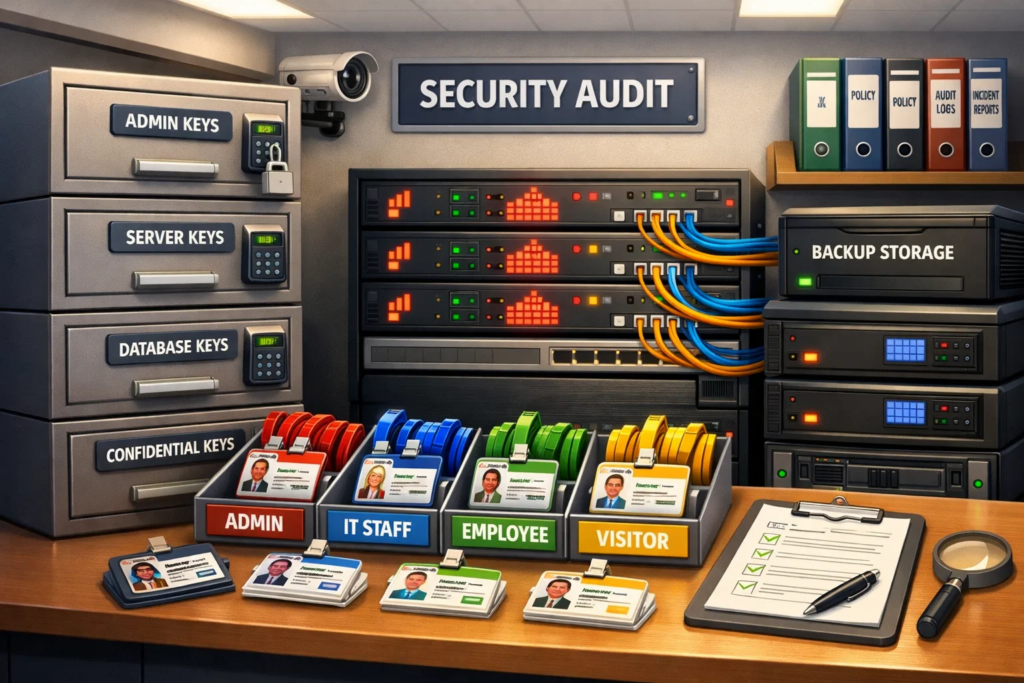
To keep grey areas from turning into incidents, you need a minimum baseline — a small set of rules that are checked regularly and don’t depend on whether you’re using IaaS or PaaS. The easiest way to manage this is a short checklist you review on a schedule (or at least before major releases).
| Grey area | Minimum controls that actually help |
| Public exposure of resources (storage / endpoints / admin panels) | Enforce “private by default”, require explicit publishing rules/approvals, run regular audits for publicly exposed resources |
| IAM and roles | MFA everywhere, least privilege, task-specific roles, regular access reviews, fast offboarding (immediate access removal) |
| Managed services | Checklist approach: restrict network access, enable auditing and service-level logging by default |
| Secrets and keys | Use a secrets manager, rotate regularly, ban secrets in repos/chats, separate keys per environment and per service |
| Logs and incident response | Enable audit trails, alert on high-risk events (public exposure / role changes / key creation), maintain a clear “what to do” runbook |
| Segmentation and environment isolation | Separate dev/stage/prod, separate accounts/projects, minimize network routes between environments |
Put simply: the cloud usually doesn’t “break” on its own — it’s most often broken by configuration. The provider secures the platform, but real security is achieved (or not achieved) through your permissions, configurations, and processes.
Now let’s wrap it up.

The Shared Responsibility Model is about one simple idea: in the cloud, security is split across layers of control. The provider secures the platform and infrastructure, while the customer is responsible for how access, data, and services are configured inside the cloud.
The biggest trap is assuming that “cloud = automatically secure.” In practice, most incidents come from basic mistakes: overly broad permissions, accidentally exposed resources, poor secrets handling, and disabled auditing.
Treat the Shared Responsibility Model as a practical map. It helps you quickly understand who owns what, what to verify first, and why as you move from IaaS to PaaS/SaaS your responsibility increasingly concentrates around IAM and data.
Thanks for reading!