Mateo GarciaEditor

Mateo GarciaEditor
When people talk about AI or LLMs, it often sounds as if any such workload automatically requires a data center, a rack full of GPUs, and a massive budget. In practice, however, many AI workloads can run perfectly well on a VPS — the real question is what kind of scenario you want to host there.
Let us say you decide to deploy your own AI service in the spirit of ChatGPT as a working tool for customers, employees, or an internal knowledge base. From the outside, the idea looks simple: take a model, deploy it on a VPS, and expose it through an API or a chat interface. But this is exactly where it becomes clear that LLM workloads follow very different rules from an ordinary backend or a standard corporate website.
Today, not everyone needs fine-tuning or training a model from scratch. What many teams do need are more practical scenarios such as:
For these use cases, a well-chosen GPU VPS — or sometimes even a standard VPS — can be enough. But what makes LLM workloads different is that the server is constrained by more than just CPU and RAM. What matters is the size of the model, the amount of available memory, the context length, the speed at which weights can be read, cache behavior, and whether the model fits entirely into GPU memory or starts spilling into system RAM and the CPU.
That is why AI workloads on a VPS are not simply a matter of “getting a more powerful machine.” The same server may handle lightweight inference just fine, yet begin to struggle with long context windows, parallel requests, or a heavier model. In some cases, the bottleneck will not even be the GPU, but the disk or the network, especially when the model works together with external data sources and a RAG layer.
The practical conclusion is straightforward: AI on a VPS is absolutely feasible, but only if you start from a specific workload rather than the abstract label of “AI.” Small to mid-sized inference tasks, local APIs, RAG pipelines, batch processing, and part of the surrounding MLOps stack can all run well on a VPS. Serious fine-tuning of large models and training from scratch, however, is a different story entirely, with much higher infrastructure requirements.
One of the most common mistakes in AI infrastructure is surprisingly simple: the team chooses the server first and only then tries to figure out what will actually run on it. As a result, someone picks a “more powerful VPS” for a chatbot, someone expects to do fine-tuning on a machine that can barely sustain ordinary inference, and someone else overpays for a GPU even though the workload is really limited by CPU, storage, and pipeline design.
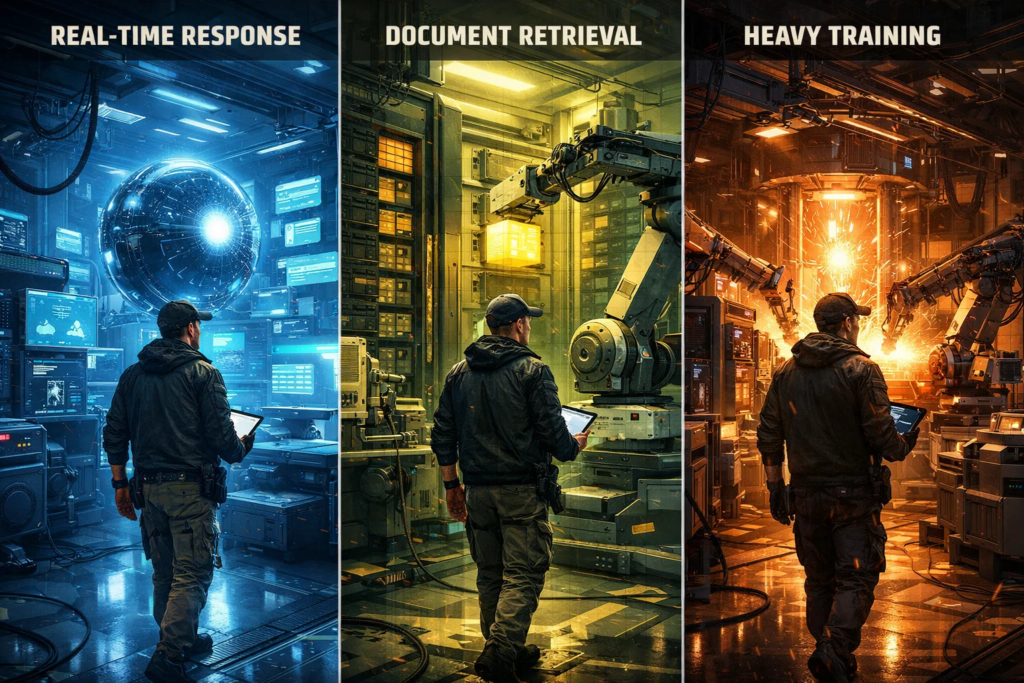
With AI, it makes far more sense to work in the opposite direction: first define the scenario, then choose the server. The term “AI workload” often hides very different types of tasks, which means their infrastructure requirements are also very different. In most cases, the discussion comes down to four main scenarios:




On paper, all of this can easily be labeled “LLM work,” but in practice the differences between these scenarios are substantial. For inference, the key questions are whether the model fits into memory, how much context is required, and how many requests may arrive at the same time. In a RAG setup, the model is only one part of the chain, so the server may be constrained not only by inference itself, but also by storage, network throughput, the vector database, and the surrounding data-processing logic.
Fine-tuning is a different class of workload altogether. The server must not only keep the model in memory, but also sustain the adaptation process itself, and GPU and memory requirements rise much faster here. Background pipelines may look less impressive on the surface, but they can consume resources just as aggressively: overnight document processing, embeddings generation, OCR, or reindexing a knowledge base can place a heavy load on CPU, storage, and memory even without a live chat interface.
The main takeaway is straightforward: the same server may be a good fit for one scenario and a poor fit for another. That is why, before choosing a VPS, it is worth answering one very direct question first: what exactly are you planning to run — a chat service, document search, fine-tuning, or the supporting pipelines around the model? Until that answer is clear, any discussion about hardware is usually premature.

Once the scenario is clear, the next question is what exactly to evaluate in the server itself. And this is where many teams fall into another trap. Some focus only on the GPU, as if everything else were secondary. Others try to solve an LLM workload with the logic of “just add more RAM and it will be fine.” In practice, AI workloads are almost always sensitive to several components at once, and the bottleneck may appear somewhere entirely unexpected.
This can be reduced to a simple framework:
| Component | What it is responsible for | Where it most often becomes the bottleneck |
| CPU | Request preparation, background tasks, part of inference, and pipeline orchestration | RAG, batch processing, OCR, embeddings, and CPU-only scenarios |
| RAM | Storing the model, data, intermediate results, and the surrounding service logic | Larger models without GPU support, RAG, and services with multiple processes |
| NVMe | Fast loading of model weights, datasets, indexes, and working files | Slow model startup, sluggish pipelines, and workloads involving large data sets |
| GPU | Fast inference and more demanding AI scenarios | Real-time chat, long context windows, parallel requests, and fine-tuning |
| The full chain as a whole | The interaction between the model, storage, memory, network, and the services around it | RAG, production services, and multi-component pipelines |
The table above highlights the main principle: in AI workloads, it is almost never enough to look at a single parameter in isolation. Even if the GPU appears sufficiently powerful, the service may still be limited by memory, storage, CPU, or by the interaction between the components surrounding the model.
In practice, the bottleneck depends on the scenario. Inference is often most sensitive to GPU performance and available memory. RAG is more likely to be constrained by storage, RAM, and the vector database. Batch processes tend to depend heavily on CPU and data-processing throughput. A production-facing service for end users will often run into limits across several parts of the stack at once. That is why a good VPS for AI is not chosen based on the loudest specification, but on whether the entire configuration can sustain the specific workload as a whole.

At this stage, it is easy to think the main part is already clear: define the scenario, evaluate CPU, RAM, NVMe, and GPU, and the server choice is done. But in real-world operations, an AI service almost never exists in a vacuum. The model constantly needs to retrieve data, interact with adjacent services, pull in context, and store results. That is why even a solid server can still behave sluggishly if the surrounding chain is put together poorly.
This is especially visible in RAG scenarios. On paper, everything looks straightforward: the model is deployed, there is enough memory, and a GPU is available. But a real request is rarely limited to inference alone. The system goes to the knowledge base, retrieves documents, assembles context, passes it to the model, and then logs and stores the result. Formally, it is a single request. In reality, it is an entire chain of calls across data stores and services.
This can be illustrated as follows:
| What happens around the model | How it impacts the service |
| Data is located far from the server | Latency increases on every request |
| The RAG layer pulls large documents or chunks of context | The response takes longer to assemble than the user expects |
| The storage layer or index database works slowly | The model sits idle while waiting for data |
| Egress traffic is expensive or poorly accounted for | Service costs grow faster than expected |
| There is no private networking between components | Latency and the attack surface both increase |
| Backups, snapshots, and dataset loading are organized chaotically | Operations become slower and more stressful |
Because of this, network design and data placement often influence the end result just as much as the hardware itself. If the knowledge base is far away, the vector store responds with noticeable delay, and each request passes through several distributed services, the model starts waiting. In that case, the service slows down not because the model itself is too heavy, but because the data path has become too long and too expensive.
In practice, this is easy to see in two common configurations:
In the second case, the user experience is often better, even if the server looks weaker “on paper.” That is why, in AI infrastructure, the winner is often not the team that simply chose the larger VPS, but the one that built a shorter and more predictable data path.
There is also a second layer to the problem: cost. When data moves actively between regions, availability zones, or services, egress charges enter the picture. So network design affects not only latency, but also the total cost of ownership of the entire setup.
The practical takeaway is simple: before launch, you need to validate not only the server, but the full data flow. Where are the documents stored? How are the databases connected? Is private networking available? How much does inter-service traffic cost? And is the model spending half of its time generating responses — or merely waiting for data to arrive?

Even if the model is already running, the RAG layer is responding, and the team is happy with the pilot, that does not necessarily mean the setup is ready for real-world operations. At the beginning, an AI service can look tidy and inexpensive, but once the first wave of growth arrives, it often becomes clear that the real problems were never in the initial launch itself, but in the environment surrounding it.
Before moving into production, it is worth validating five things:
In other words, before launch, it is worth checking not only whether the server can run the model, but whether the entire setup is ready for real life. Getting an LLM running on a VPS can be done quickly. The harder part is making sure that, a month later, that launch does not turn into a pile of urgent fixes around what once looked like a successful demo.

We have now seen why choosing a VPS for AI and LLM workloads is not a matter of “getting a more powerful server and hoping for the best.” In these scenarios, everything depends on the full combination of factors: what exactly the model is doing, where your service is likely to hit its limits, how the data is organized, what is happening across the network, and whether the entire setup can handle growth after the first successful demo.
That is why a good choice does not begin with an attractive pricing plan, but with a much more grounded question: what is your actual use case, and what does it really require? In some cases, a carefully selected VPS or GPU VPS will be more than enough. In others, it will become clear from the very beginning that the task calls for an entirely different class of infrastructure.