High-performance and highly available VPS/VDS with automatic installation and full root access to the OS. The ordered resources are guaranteed to be reserved for you.
Fortify your operational continuity with our resilient disaster recovery solutions, ensuring swift recovery and minimal downtime in the face of unforeseen challenges.
If you work in IT, the term “cloud” isn’t just a buzzword — it’s a powerful tool for storing and processing data. Businesses have long realized that relying solely on physical hardware isn't the best strategy, and some have also discovered that going fully cloud-based infrastructure in the traditional sense isn't always ideal either. Cloud solutions provide greater flexibility and freedom: you can scale in just a few clicks, eliminate the need to purchase and maintain physical servers, and deploy new services rapidly.
But which type of cloud is right for you? There are three main types: private, public, and hybrid clouds. Let's take a look at what they are.
A private cloud is a dedicated infrastructure used exclusively by a single company. It can run on on-premises servers or be hosted by a cloud provider, but the key advantage is full control and enhanced security. This is the ideal solution if you need complete oversight of all processes and want to keep sensitive information securely under lock and key.
A public cloud operates on a pay-as-you-go model, providing flexible access to computing resources. Large providers, as well as growing ones like us, Peerobyte, allow businesses to deploy everything from test environments to full-scale production systems. Plus — flexibility and scalability, minus — part of the control is transferred to the provider.
A hybrid cloud offers a balanced approach, combining the security of a private cloud with the convenience of a public cloud. For example, businesses can store critical data on-premises while running less sensitive applications in a public cloud, optimizing scalability, cost, and security.
Key Differences Between Cloud Models
The key to cloud solutions is understanding four things: management, security, cost, and scalability. Understanding these differences will help you make the right choice for your business.
Cloud Management
In the public cloud, the provider is in charge of everything. You simply use pre-configured resources, eliminating the need for administrative tasks. Scaling and fault tolerance are automated, ensuring seamless performance. Just pay for what you use.
With a private cloud, you are responsible for everything. You can also customize everything, but it requires investment in hardware, IT specialists, and ongoing maintenance.
A hybrid cloud is a mix of both. The provider manages some tasks, while others stay under your control. This setup is great for businesses seeking flexibility without sacrificing security.
Security
It provides strong security, but shared infrastructure introduces a risk of information leakage if not configured correctly. Some risks are beyond your control—remember the OVH data center fire?
A private cloud gives you full control over security, making it the preferred choice for organizations handling sensitive data or those who favor upfront costs (CapEx) over ongoing operational expenses (OpEx). It is also a great fit for security-conscious users (or, let’s be honest, the slightly paranoid).
A hybrid cloud combines the advantages of both options because it balances security and flexibility by keeping mission-critical data in a private cloud while less sensitive workloads run in the public cloud for cost efficiency and scalability.
Cost: Finding the Right Balance
Public cloud is cheaper initially, as there’s no need to invest in hardware. You pay only for what you use, making it ideal for startups and businesses looking for flexibility.
Private clouds require a higher initial investment but are more cost-effective in the long run if security and long-term infrastructure control are priorities. They are best suited for organizations with steady workloads and compliance requirements.
A hybrid cloud is a compromise choice, but it is necessary to distribute resources intelligently to avoid overpayment.
Scaling
In the public cloud, the provider manages automatic scaling. If demand spikes, extra resources are deployed instantly, ensuring seamless performance.
In a private cloud, scaling is manual, requiring hardware investments, server deployment, and infrastructure setup. It is best for organizations that need complete control over resources.
The hybrid cloud is the best of both worlds. Businesses can run core operations on private servers and leverage public cloud resources during peak periods (e.g., Black Friday traffic spikes). After demand subsides, resources scale down, preventing unnecessary costs.
What’s the Best Fit? The choice depends on the objectives. Need maximum control? Use a Private Cloud. Want instant scalability and pay-as-you-go pricing? Use a Public Cloud. Looking for flexibility and cost efficiency? Use a Hybrid Cloud.
What are clouds for?
Cloud technology is now integral to businesses of all sizes—from startups to enterprises, banks, and government organizations. But what makes the cloud a game-changer? Let's examine this point.
Flexibility and scalability
Imagine your company suddenly needs more computing power. With a provider-managed cloud, you can instantly scale up resources in minutes, but you can't do that with physical servers or a cloud on your own hardware — you have to wait for deliveries and customization. Public Cloud and Virtual Private Cloud (VPC) solutions let you increase capacity on-demand, ensuring cost efficiency — you pay only for what you use.
Cost Efficiency
In a public cloud, you pay according to the pay-as-you-go model — you’re billed only for the resources you actually consume. In a private cloud hosted by an external provider, you can reduce server maintenance and administration expenses. However, if your private cloud is deployed on your own hardware, operational costs remain, but you gain greater independence and predictable long-term OPEX. If you aim to optimize cloud spending, a hybrid cloud is a wise choice. It allows you to combine payment models based on your current workload or project needs, giving you the best of both worlds.
Reliability
Cloud providers operate distributed data centers, implement regular backups, and build in fault-tolerance mechanisms. If one server goes down, the system automatically switches to another — your service stays up and running without interruption. This level of reliability is crucial if your business depends on a stable IT infrastructure.
Of course, you can build a private cloud with similar resilience on your own hardware (Amazon AWS wasn’t built by gods, after all), but doing so will require a significant investment in infrastructure, technical specialists, and expertise.
Security
Major cloud providers invest millions in cybersecurity to safeguard data from breaches and attacks. In a private cloud, you’re responsible for managing your own security. A hybrid cloud, however, lets you strategically separate workloads, keeping sensitive data in a private environment while running scalable services on public infrastructure.
Availability
One of the most significant advantages of the cloud is the ability to work from anywhere—all you need is an internet connection. This is a game-changer for remote teams, distributed workforces, and international projects.
Innovation
The cloud makes it easy to experiment with emerging technologies, from AI and machine learning to big data analytics. Many tech companies rely on cloud platforms to accelerate the development and testing of new services.
Where Are Clouds Used?
Whether as a complete solution or part of a hybrid setup, cloud technologies can benefit every industry. However, some sectors rely on them more heavily:
IT companies use the cloud to store code, run services, and scale development environments.
Banks leverage cloud infrastructure to process sensitive customer data securely and efficiently.
Government agencies often adopt private clouds to store and protect citizens’ personal information.
Healthcare providers rely on cloud platforms for telemedicine, patient data management, and diagnostics.
Retail businesses use the cloud to manage orders, optimize logistics, and analyze customer behavior.
In short, cloud computing is a foundational element of today’s IT infrastructure, powering everything from agile startups to global enterprises.
Options for getting the cloud
Here are the main options for how you can build or acquire cloud infrastructure:
Rent a private cloud from a provider.
Build a private cloud on your own servers.
Use a public cloud with a pay-as-you-go model.
Implement a hybrid cloud to combine the best of both worlds.
The right choice depends on your business goals, budget, and security requirements.
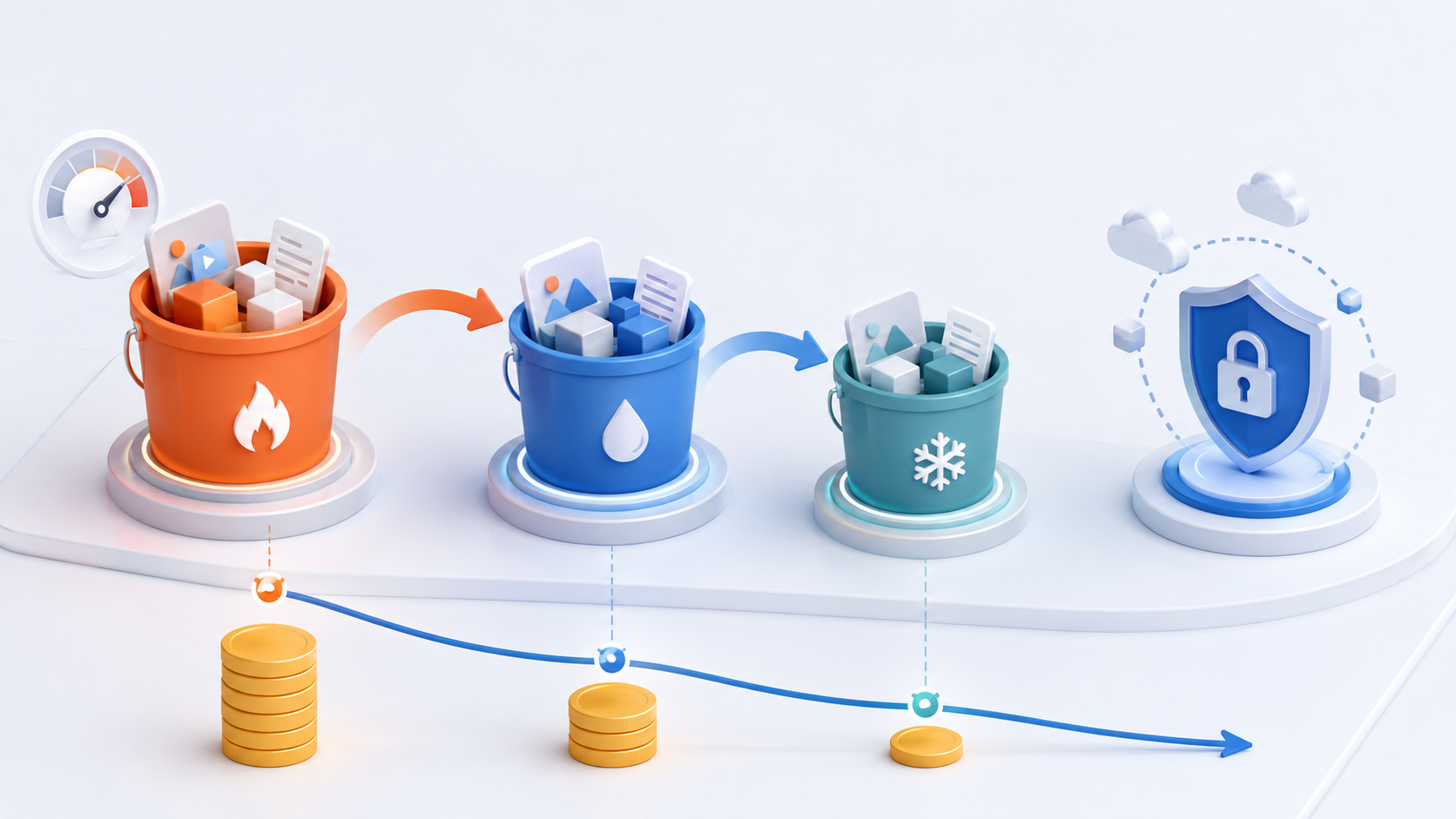
What types of cloud storage are available?
Cloud storage is a virtual space where organizations can store files, databases, backups, and other critical data. Depending on your needs, there are different types of cloud storage to choose from.
Object Storage
If you are dealing with large volumes of data — such as archives, backups, or video files — object storage is an excellent choice. It offers easy scalability and it is cost-effective.
File Storage
Think of it as a traditional file server — just in the cloud. It’s ideal for collaborative work with shared documents.
Block Storage
Best suited for high-performance needs like databases, virtual machines, or resource-intensive applications.
Cold Storage
Cold storage is a great choice if you only need to store archived data that’s rarely accessed. It’s more cost-effective, though retrieving data takes more time.
How to Choose the Right Cloud Storage
Databases? → Use block storage.
Archives? → Opt for cold storage.
Working with files? → Choose file or object storage.
Your business needs, required security level, and desired performance should guide your choice.
How a Private Cloud Works
A private cloud is built for a single user and can operate either on an organization’s own servers or on infrastructure provided by a cloud provider. Only one company has access to it.
How It Works
In essence, a private cloud is structured similarly to a public cloud:
Servers and virtual machines provide computing power.
Storage systems – used for storing data.
Network components, such as VPNs, load balancers, and firewalls.
Orchestration and management tools – like OpenStack, VMware, or Kubernetes.
Private Cloud Deployment Options
On-Premise – deployed on the organization’s own hardware. Offers full control but requires a significant investment in infrastructure.
Hosted Private Cloud – hosted by a provider. The provider manages the hardware, while the company retains control over access.
Hybrid Cloud – a combination of private and public cloud environments. Its key advantages are flexibility and enhanced security.
The right choice depends on your budget, security requirements, and organizational needs.
What Is a Public Cloud
Cloud providers operate massive data centers that host thousands of servers. Companies rent resources — virtual machines, databases, storage — and pay only for what they use.
Advantages of the Public Cloud
Cost Efficiency – No need to purchase or maintain physical servers.
Scalability – Easily increase capacity to meet current needs.
Accessibility – Access your services from anywhere in the world.
Reliability – SLAs of 99.9% uptime or higher.
Innovation – Instant access to AI tools, Big Data platforms, and DevOps technologies.
Cons of the Public Cloud
Provider Dependence – If the provider changes pricing, policies, or services, it could cause disruptions.
Data Security – It's essential to encrypt sensitive information and comply with data protection regulations.
Cost – Under heavy workloads, expenses may exceed the cost of running a private cloud.
If flexibility and speed are your priorities, the public cloud is an excellent option. However, a private or hybrid cloud may be a better choice if you require full control over your data.
How Hybrid Cloud Works
A hybrid cloud combines private and public cloud solutions that bring together the advantages of both.
How does it work
Private Cloud – Used to store sensitive data (e.g., customer personal information and internal reports).
Public Cloud – Used for scaling, analytics, and handling high workloads.
Use Case Examples
Bank: Customer data is stored in a private cloud, while analytics runs in a public cloud.
Online Store: The product catalog is hosted in a public cloud, while order processing is handled in a private cloud.
Government: Critical services are deployed in a private cloud, while less sensitive data is stored in a public cloud.
Advantages of Hybrid Clouds
Security – Sensitive data remains under direct control.
Flexibility – Public cloud capacity can be used to manage high traffic and peak loads.
Cost Efficiency – Expensive resources are used only where they’re truly necessary.
Disadvantages of Hybrid Clouds
Management Complexity – Configuring seamless interaction between public and private environments can be challenging.
Higher Skill Requirements – Managing a hybrid infrastructure demands more expertise compared to handling a purely private or public cloud.
Where Hybrid Clouds Are Used
Hybrid clouds are widely adopted by large corporations, financial institutions, government organizations, and healthcare facilities — all of which require a balance of strong security and high scalability.
How to Choose the Right Cloud
Business needs, security requirements, and available budget should guide your choice. Here's a quick overview of what to consider:
Security
If you regularly handle sensitive data, such as financial transactions or medical records, a private cloud is often the best choice.
Versatility and Scalability
If your workloads vary (e.g., an online store during seasonal sales), a public or hybrid cloud can help you scale quickly and efficiently.
Cost Considerations
Public cloud – Low entry cost, but expenses can grow as your usage scales.
Private cloud – Requires upfront investment but can be more cost-effective over time.
Hybrid cloud – Strikes a balance between flexibility and cost efficiency.
Legal Requirements
Some companies, such as banks and government agencies, are legally required to store data within their own country and comply with specific regulatory standards. Choosing a cloud solution that meets these legal and compliance obligations is important.
Technical Support
If your cloud service is critical to business operations, you’ll need 24/7 technical support and possibly a dedicated account manager to ensure reliability.
Which Cloud to Choose
Public Cloud → Fast, flexible, and cost-efficient. Ideal for startups, SaaS platforms, and online stores.
Private Cloud → Offers maximum control and enhanced security. It is best suited for banks, government bodies, and large enterprises.
EU Cloud Infrastructure You Control
Run production workloads on dedicated resources across EU data centres. Transparent pricing, no hidden costs.
Full control over compute, storage, and networking.
Estimated Time: From a few minutes to several hours.
2. Private Cloud — More Complex but Highly Secure
Select a platform (e.g., VMware, OpenStack, Hyper-V).
Procure servers, storage systems, and network infrastructure.
Set up virtualization and resource management tools.
Implement robust security and monitoring systems.
Estimated Time: It typically takes several weeks to a few months.
3. Hybrid Cloud — A Balance of Security and Flexibility
Deploy a private cloud and integrate it with a public cloud provider.
Configure VPNs or Direct Connect to ensure secure data transfer.
Use tools like Kubernetes or Terraform to manage and balance workloads.
Estimated Time: From several weeks to a few months, depending on the complexity of the private cloud.
Conclusion
Cloud deployment requires careful planning, resulting in a scalable, secure, high-performing IT environment tailored to your business needs.
Cloud Services
Cloud platforms go far beyond virtual machines and storage. They offer a full ecosystem of services designed to help organizations automate operations, analyze data, develop software, and strengthen security.
Key Types of Cloud Services
Compute
Virtual Machines (VM): You can run applications on remote servers.
Containers (Kubernetes, Docker): Suitable for scalable and microservice applications.
Storage
Object Storage (e.g., Amazon S3) is best for storing large volumes of unstructured data, such as backups, media, or logs.
Block Storage (e.g., Amazon EBS): Suitable for databases and mission-critical applications.
Archive Storage (e.g., Amazon Glacier): A cost-effective solution for long-term data archiving.
Databases
Relational Databases (e.g., PostgreSQL, MySQL): Structured data with strong consistency and ACID compliance.
GitLab CI/CD, Jenkins, GitHub Actions – Automate testing and streamline service delivery pipelines.
Docker – Containerizes applications for flexible scaling and environment consistency.
Helm – Manages Kubernetes applications with easy deployment and version control.
Security and Access Management
HashiCorp Vault – Securely stores sensitive data such as secrets and access keys.
IAM (Identity and Access Management) – Manages user access and permissions in the cloud (e.g., AWS IAM).
Cloudflare, Imperva – Provide DDoS protection, web application security, and API defense.
Cloud Databases and Analytics
BigQuery, ClickHouse, Snowflake – Scalable cloud-based analytics platforms for processing Big Data.
PostgreSQL, MySQL, MongoDB – Widely used cloud databases for structured and semi-structured data.
Apache Kafka, RabbitMQ – Enable real-time data streaming and asynchronous service communication.
Conclusion
Cloud technologies are an essential part of modern business IT infrastructure. Companies choose between public, private, and hybrid cloud models based on their goals, budget, and security requirements.
Public clouds are fast to launch, highly flexible, and easily scalable—an excellent choice for startups, e-commerce platforms, and SaaS services.
Private clouds offer complete control, enhanced security, and regulatory compliance. They are ideal for banks, government institutions, and large enterprises.
Hybrid clouds provide a balanced mix of security and flexibility. Widely used in healthcare and enterprise environments.
The right cloud model depends on your specific business needs. One thing is certain: the future belongs to cloud technology—and it’s already here.
Subscribe to our newsletter to get articles and news
Cookie consent
This site uses cookies to ensure it works properly and to track how you use it. By clicking 'Accept', you agree to these technologies. For more details, please see our Privacy Policy and Cookies Policy
Functional
Always active
The technical storage or access is strictly necessary for the legitimate purpose of enabling the use of a specific service explicitly requested by the subscriber or user, or for the sole purpose of carrying out the transmission of a communication over an electronic communications network.
Preferences
The technical storage or access is necessary for the legitimate purpose of storing preferences that are not requested by the subscriber or user.
Statistics
The technical storage or access that is used exclusively for statistical purposes.The technical storage or access that is used exclusively for anonymous statistical purposes. Without a subpoena, voluntary compliance on the part of your Internet Service Provider, or additional records from a third party, information stored or retrieved for this purpose alone cannot usually be used to identify you.
Marketing
The technical storage or access is required to create user profiles to send advertising, or to track the user on a website or across several websites for similar marketing purposes.