Mateo GarciaEditor

Mateo GarciaEditor
A Cloud Load Balancer is a cloud-based traffic distribution layer: it receives incoming requests and routes them across multiple servers or application instances. Put simply, it is the tool you reach for when a service is starting to outgrow a single VPS and the business needs not only “something that works,” but something that can also handle growth, failures, and updates without unnecessary drama.
At the same time, a load balancer is far from necessary for every project. For a small project with moderate load, predictable traffic, and non-critical downtime, a single VPS is often more than enough. But once the service starts running into the limits of one server — and any outage, traffic spike, or failed release begins affecting users and revenue — a Cloud Load Balancer becomes a much more logical choice.
When is a single VPS enough, and when is a Cloud Load Balancer already the better option:
| Situation | Single VPS | Cloud Load Balancer |
| A small website, blog, landing page, or local service | Usually enough | Most often excessive |
| Load is growing, but still predictable | May still cope | Not always necessary yet |
| There are traffic peaks and a risk of overwhelming one server | Already becoming a weak point | Helps distribute the load |
| Service downtime is critical for the business | Risky to keep everything on one node | A more reliable option |
| The service needs to be updated without noticeable downtime | More difficult and riskier | Much more convenient |
| Several servers or instances are already in use | No longer works as a complete model | Needed as the traffic distribution point |
If reduced to one simple idea, the logic is this: a single VPS is about simplicity and a low barrier to entry, while a Cloud Load Balancer is about growth, resilience, and more mature operations. It is not something every project needs by default, but at a certain stage it stops being an “extra option” and becomes a normal part of the infrastructure.
This section is only a brief summary to answer the article’s main question quickly. Next, we can look in more detail at what a Cloud Load Balancer actually does in real infrastructure, when a single VPS still remains a sensible choice, and which signals show that a project is ready to move to a more resilient setup.
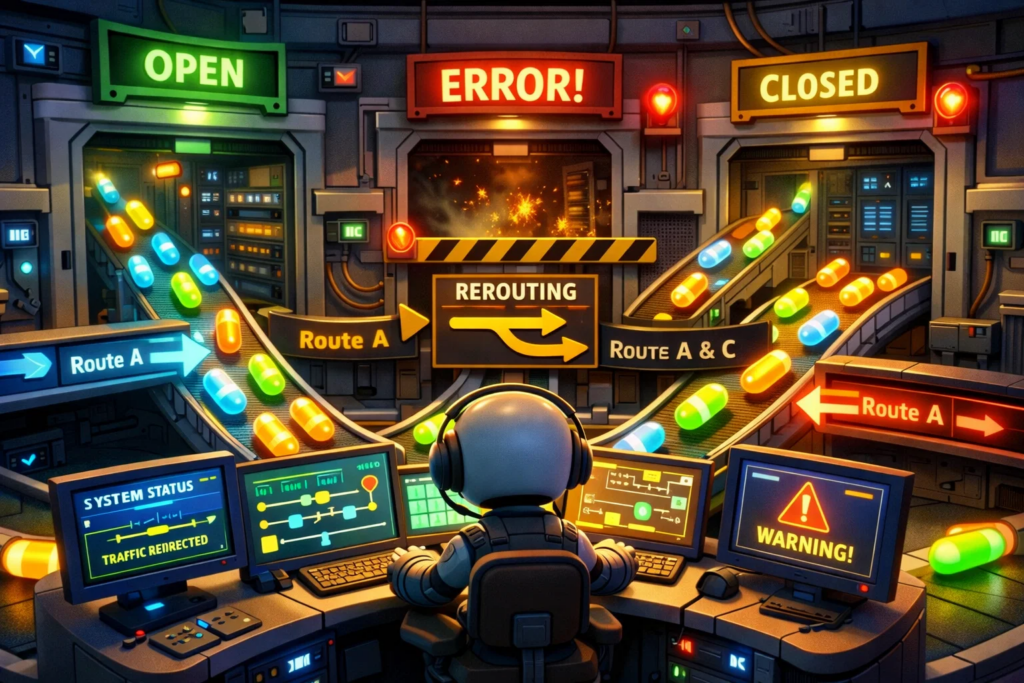
Above, we briefly covered the basic idea: a Cloud Load Balancer receives incoming traffic and distributes it across multiple servers or application instances. Now let us look more closely at why this layer is needed at all and what problem it solves in real infrastructure.
With a single VPS, the model is straightforward: the user sends a request, the server receives it, and the server processes it. For a small project, that is often enough. But this setup has an obvious limit: all traffic, all processing, and all failure risk are tied to one machine.
And the issue is not only performance or availability. When a service with a public IP accepts external traffic directly, the server itself is more exposed to the outside world. One poorly configured firewall rule, one unnecessary open port, or one service published by mistake — and the external perimeter immediately becomes more vulnerable.
Put simply, in this kind of architecture one server has to do everything at once:
As long as traffic remains moderate, this may not look like a problem. But once the project starts to grow, that simplicity begins to work against it. Any traffic spike, overload, failed update, or server-side issue immediately affects the entire service.
That is exactly where an additional layer appears between the user and the backend nodes.
This model also brings another practical benefit: you can keep a single controlled entry point exposed externally on the load balancer, while avoiding direct Internet exposure for the backend servers themselves. That does not replace other security measures, but it does help narrow the external perimeter and avoid exposing hosts unnecessarily where there is no good reason to do so.
If you think back to Monsters, Inc. — the Pixar film where monsters entered children’s rooms through doors — from the outside it looked like one clear entry point. But behind those doors was an entire internal system of routing and distribution.
A Cloud Load Balancer works in a similar way. The user sees one address or one domain, but the request does not go straight to one specific server. Instead, it first reaches a layer that decides where to send it. This makes it possible to avoid placing the whole service on a single machine and to distribute traffic across several backend nodes.

Now we can move from the general idea to the actual mechanics. Above, we looked at why an extra layer appears between the user and the server. The next step is to understand what exactly happens after a request reaches the load balancer.
Put simply, its job follows a sequence like this:
That is exactly why a load balancer is useful not only under growing traffic, but also in everyday operations. It does not merely “spread” requests across servers. It also helps the system behave more steadily when one node starts slowing down, restarting, or temporarily falling out of service.
For example, if the application is running on three backend servers, the load balancer can distribute traffic among them according to a chosen policy. But if one instance stops responding properly, new requests will no longer be directed there. This does not always make the failure completely invisible to the user, but it often greatly reduces the chance that a problem on one node will take down the entire service or affect users at scale.
How a load balancer works in a real setup:
| Stage | What happens |
| The request arrives at the load balancer | The user connects not to a specific server, but to a shared entry point |
| Processing rules are applied | The system determines where the traffic should go next |
| A backend is selected | The request is forwarded to an available server or instance |
| A problematic node is removed from the flow | New traffic is not sent to a server that is failing or behaving unstably |
| The load shifts to the remaining healthy nodes | The service continues to operate more steadily than in a single-server model |
At the same time, it is important not to overestimate what a load balancer can do. It does not fix weak code, eliminate architectural mistakes, or rescue a system if the rest of the components have already reached their limits. Its role is much more practical: to help the infrastructure accept and distribute incoming traffic more reliably, without continuing to send new requests into nodes that are already failing.
But this kind of setup is not always necessary by default. Which leads to the next logical question: when is a single VPS still enough, and when is the project already starting to run into its limits? That is exactly what the next section should explore.

After discussing load balancers, it is easy to conclude that a single VPS is already an overly simple or outdated design. In practice, that is not true. For many projects, one machine is still enough, and adding infrastructure complexity too early simply does not make sense.
The main reason is straightforward: not every service needs multiple backend nodes, a separate traffic distribution layer, and a more advanced high-availability model. If the workload is moderate, the architecture remains simple, and the project is not running into the limits of one server, a VPS often remains the most rational option.
There is another nuance as well: a load balancer shows its real strengths only when the service can scale horizontally. If the application is tightly bound to a single machine, does not handle multiple instances well, or is built on an older architecture, then load balancing by itself will not achieve very much.
In such cases, redesigning the service may be too heavy or simply not worth the effort. Then the business often chooses the more direct route — adding more resources to one VPS for as long as that remains sufficient.
This approach has several clear advantages:




At an early stage, this is especially convenient: the system stays transparent, and the team can see more clearly how the application behaves and what it is actually running into in practice. Sometimes a project does not need a load balancer yet — it may need a more powerful VPS, a proper cache layer, database improvements, or the removal of heavy background jobs from the main request path.
There is also one more important point: a load balancer makes sense only when there is something meaningful behind it to distribute. If there is only one backend server, a Cloud Load Balancer does not make the setup truly highly available on its own. It adds a separate entry layer, but does not remove the dependence on a single machine.
That is why the main question usually sounds like this: has the project actually outgrown one VPS in practice? As long as the answer is no, a single server is not a temporary compromise, but a perfectly valid working solution.
But that remains true only up to a certain point. The next logical step is to look at the signs that a single server is starting to lose the argument.

A single VPS remains convenient right up to the point where it can still handle its workload without constant compromise. But as a project grows, this model begins to show its natural limit: you cannot scale one machine vertically forever, and every new traffic spike makes the infrastructure more sensitive to overload.
Usually, this does not begin with a total outage. It starts with more familiar symptoms. Pages load more slowly, the API responds less consistently, background jobs begin interfering with the main traffic, and every increase in visitor volume turns into a nervous stress test.
Most often, a single server starts losing in several situations:
The problem here is not only a lack of resources. The more heavily the service depends on one machine, the harder it becomes to scale predictably. Every attempt to grow turns into yet another upgrade of one specific server, instead of moving toward a more flexible model where the load can be distributed across multiple instances.
To avoid reducing everything to the vague idea that “the server is struggling,” it helps to look at the signs that usually show, in practice rather than in theory, that one machine is already becoming a bottleneck.
Signs that a single VPS is starting to lose under load:
| Sign | What it means in practice |
| The server is regularly hitting resource limits | One machine is becoming too small even without a true failure scenario |
| Traffic peaks have become a recurring pattern | The infrastructure is operating near its limits more and more often |
| Growth requires yet another VPS upgrade every time | Scaling remains purely vertical and therefore less flexible |
| Background tasks interfere with the main service | One machine is trying to carry too many roles at once |
| Several application instances are now needed | The project is starting to require traffic distribution across nodes |
At the same time, it is important not to reduce everything to the formula “high load means you urgently need a load balancer.” Sometimes a project really can be helped by optimization, caching, moving part of the workload elsewhere, or switching to a stronger VPS. But if growth has already become regular, and one machine keeps turning into the bottleneck, that is the first serious sign that the old model is beginning to lose.
From that point on, the problem stops being purely technical and becomes operational as well. Even if the server is still surviving the load, the service may begin to suffer for another reason entirely — too much dependence on one machine during failures, releases, and everyday operations.
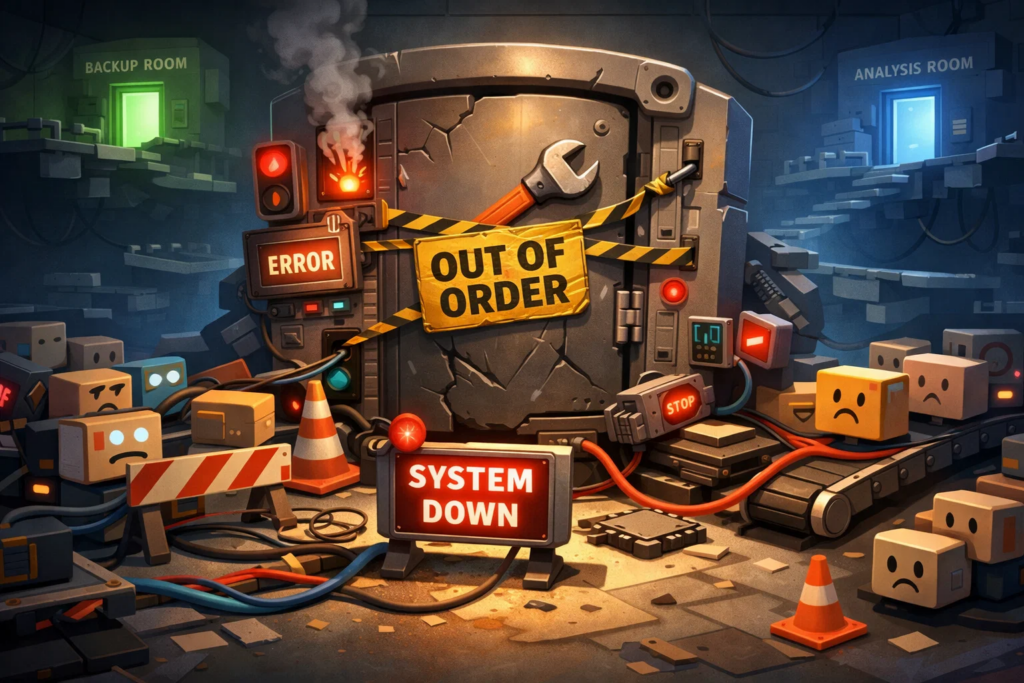
A single-VPS model has another limitation: any problem on that server immediately affects the entire service. A bad release, an application restart, a hung process, or an OS-level failure does not stay a local inconvenience — it instantly becomes a shared problem for every user.
This becomes especially noticeable in projects where the service can no longer be stopped without consequences, even for a short time. As long as everything stays calm, one machine looks like a convenient and understandable solution. But once regular updates appear, downtime becomes more costly, and the application needs to be maintained with less risk, that model starts to look too fragile.
Imagine a small online store right before a promotion. On normal days, one VPS handles the workload just fine, and the infrastructure raises no concerns. Then the team rolls out an update, the application restarts at the worst possible moment, and traffic to the site begins to climb. At that point, the problem is no longer the release itself, but the fact that the service has no alternative traffic path: everything is still tied to one machine.
The more heavily a project depends on a single server, the harder it becomes to operate it calmly. Updates become more stressful, maintenance windows become more sensitive, and every failure demands a faster and harsher response, because there is simply nowhere else to redirect the traffic.
That is exactly the point where a single VPS begins to lose not only on scale, but also on operational resilience. If the service needs to be updated without unnecessary drama, survive partial failures, and avoid tying everything to one machine, then the old model gradually stops being convenient.
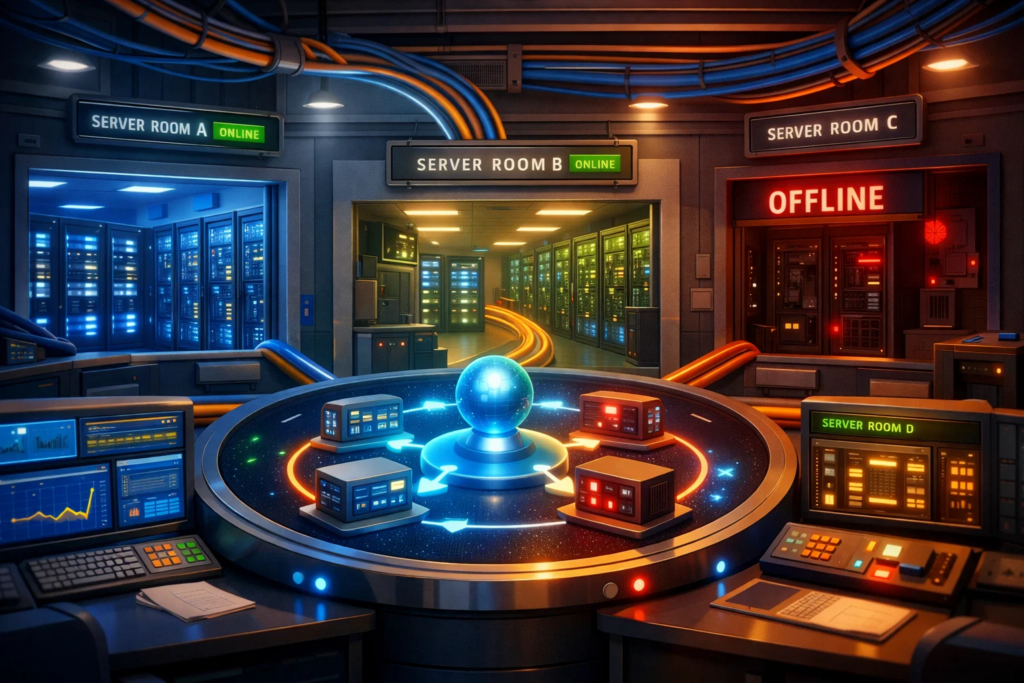
Imagine an online store that sells figurines inspired by Pixar worlds: Monsters, Inc., Cars, Toy Story, WALL-E, and The Incredibles. On normal days, everything runs quietly: one VPS handles the catalog, cart, and checkout flow without much trouble.
But as a promotion approaches, the picture changes. The team launches discounts, turns on ads, releases a limited series of figurines featuring Sulley, Mike, and Buzz Lightyear, and the site starts receiving not its usual traffic, but something much denser. At that point, what matters to the business is not only whether the site stays online, but how predictably it handles higher load, updates, and minor failures.
That is exactly where a setup with a Load Balancer starts giving the business very concrete benefits. It makes it possible to stop tying all incoming traffic to one machine and instead distribute it across several backend nodes. As a result, the infrastructure becomes more resilient, and the team gains more room to operate the service in a controlled way.
Put simply, a Load Balancer is not there for the sake of a nice architecture diagram. It gives the business a more manageable growth model: the project can survive peak periods more gracefully, roll out updates more carefully, and depend less on the condition of one specific server.
To make that clearer in practical rather than abstract terms, it helps to look at the actual trade-off involved.
What the business gets with a Load Balancer — and what it pays for it:
| What changes | What the business gains | What it has to pay for |
| Traffic no longer goes to one server, but to several nodes | Better resilience to traffic spikes and partial failures | The infrastructure becomes more complex |
| A single entry point appears | It becomes easier to manage request flow and service growth | An additional layer of configuration and control is introduced |
| Several application instances can be served | The project becomes easier to scale without betting everything on one machine | Costs increase for backend nodes and supporting services |
| A failure of one node no longer always takes everything down at once | The service behaves more steadily in problematic scenarios | Health checks, monitoring, and careful operations are required |
| Updates can be built around several application instances | There is less risk that one release will break the whole service | Deployments and maintenance require a more mature process |
In the store example, this looks fairly down to earth. In a one-VPS setup, any problem on the day of a promotion hits the whole site at once: the catalog slows down, the cart becomes unstable, and checkout begins to fail. In a setup with a load balancer and several backend nodes, the same kind of scenario does not magically disappear, but it becomes much easier to absorb: traffic can be redistributed, a problematic node can be removed from the flow, and the rest of the service can remain online.
But that resilience comes at a price. The project pays not only in money for additional resources, but also in growing operational complexity. There are more components, more dependencies, and more things that need to be configured, validated, and monitored. That is why a Load Balancer is not a universal upgrade “for everyone,” but a step toward a more mature infrastructure model.

At this point, the question is no longer what a Cloud Load Balancer is, but something more practical: does your project actually need this transition already? Not every team should make the infrastructure more complex ahead of time. But if a single VPS is increasingly becoming a source of limits in terms of load, availability, and day-to-day operations, then this model may be exactly what helps remove some of those problems before they start affecting users and revenue.
It is useful to begin by looking at the type of service itself. In one case, a short outage remains unpleasant but tolerable. In another, even a brief period of unavailability immediately affects orders, payments, or the user experience.
How justified a Load Balancer setup usually is for different types of projects:
| Project type | How justified the move usually is |
| Landing page, blog, brochure site | Usually too early |
| MVP or small internal service | Depends on the load and the cost of downtime |
| Small online store or local SaaS | May become justified with growth, but is not mandatory |
| Online store with promotions, B2B service, or client-facing application with steady traffic | Often already justified |
| Service with regular traffic peaks and sensitivity to downtime | Usually yes |
But the type of business alone is not enough. Even an online store may continue running on one VPS for quite a while if traffic stays stable and the architecture remains simple. And the opposite is also true: an internal service can outgrow one machine faster than expected if the team cares about stability, lower-risk releases, and predictable behavior under load.
That is why the next step is to look not at the format of the project, but at how it behaves in real operations. This is usually where the signs become visible that the old model is starting to hit its limits.
Signals that show it is time to outgrow a single VPS:
| Signal | What it means in practice |
| The server regularly hits resource limits | One machine is becoming too small even without extreme failure scenarios |
| Load spikes sharply during promotions, releases, or advertising campaigns | The project needs real headroom for traffic distribution |
| Any restart or deployment becomes risky | The service is too heavily dependent on one node |
| Downtime is starting to hurt revenue or user experience | The cost of unavailability has risen noticeably |
| There is now a need to run multiple application instances | The architecture becomes awkward without traffic distribution |
| The team wants calmer day-to-day operations | The infrastructure is mature enough for a more resilient model |
A transition to this kind of setup is usually justified when a single VPS is starting to get in the way of growth, stability, or normal operations. Until that point, it remains a perfectly valid solution. After that point, it increasingly becomes a limitation that the team is forced to work around manually.
Not necessarily. By itself, it does not make an application faster in any magical way. Its value lies elsewhere: it helps distribute traffic, reduce dependence on a single machine, and handle traffic spikes or partial failures more gracefully. If the real problem is slow code, a heavy database, or a weak architecture, a load balancer alone will not fix that.
Yes — those are exactly the scenarios where it is often especially useful. If traffic can be distributed across several backend nodes, the service is much better positioned to absorb a spike without having the entire flow hit one server. But this only works when there are already multiple instances or servers behind the load balancer that are actually able to receive that traffic.
Usually not. If you have only one backend, a load balancer does not remove the main dependency on a single machine. It may add a separate entry point, but it does not make the setup truly resilient. That is why, in a one-VPS scenario, it is more often premature complexity than a real necessity.
No. A CDN and a Load Balancer solve different problems. A CDN helps deliver content faster and reduce load through caching and geographically distributed delivery, while a Load Balancer manages incoming traffic and distributes it across backend nodes. In a more mature setup, they may work together, but one does not replace the other.
Sometimes yes. At an early stage, that is often the most sensible path: first get more out of one machine, optimize the application, set up caching, and remove obvious bottlenecks. But that approach has limits. A more powerful VPS buys you time — it does not solve growth, resilience, and operational challenges forever.
Not always. If traffic is still moderate, downtime is not yet very expensive, and one server handles the workload without constant strain, the project can continue quite comfortably without one. But if the service is already sensitive to failures, regularly experiences peaks, is growing under load, or requires safer release practices, moving to this kind of model may be entirely timely.
1. AWS — What is Elastic Load Balancing?